ZCTASaved Link Creator
Create IDX Broker saved links scoped to ZIP code boundaries. Search for one or more ZIP codes, preview boundaries and listings on an interactive map, then generate a saved link with just a few clicks.
Use this appZIP Code Boundaries Meet IDX Saved Links
This tool lets you create IDX Broker saved links that are geographically scoped to one or more ZIP code boundaries. Instead of manually figuring out which areas to target, simply search for the ZIP codes you want, preview the boundary on a map alongside active listings, and create a saved link — all from one screen.
The boundaries come from U.S. Census ZCTA (ZIP Code Tabulation Area) data, and listings are pulled from your IDX Broker MLS feed. The result is a saved link that targets exactly the area you need.
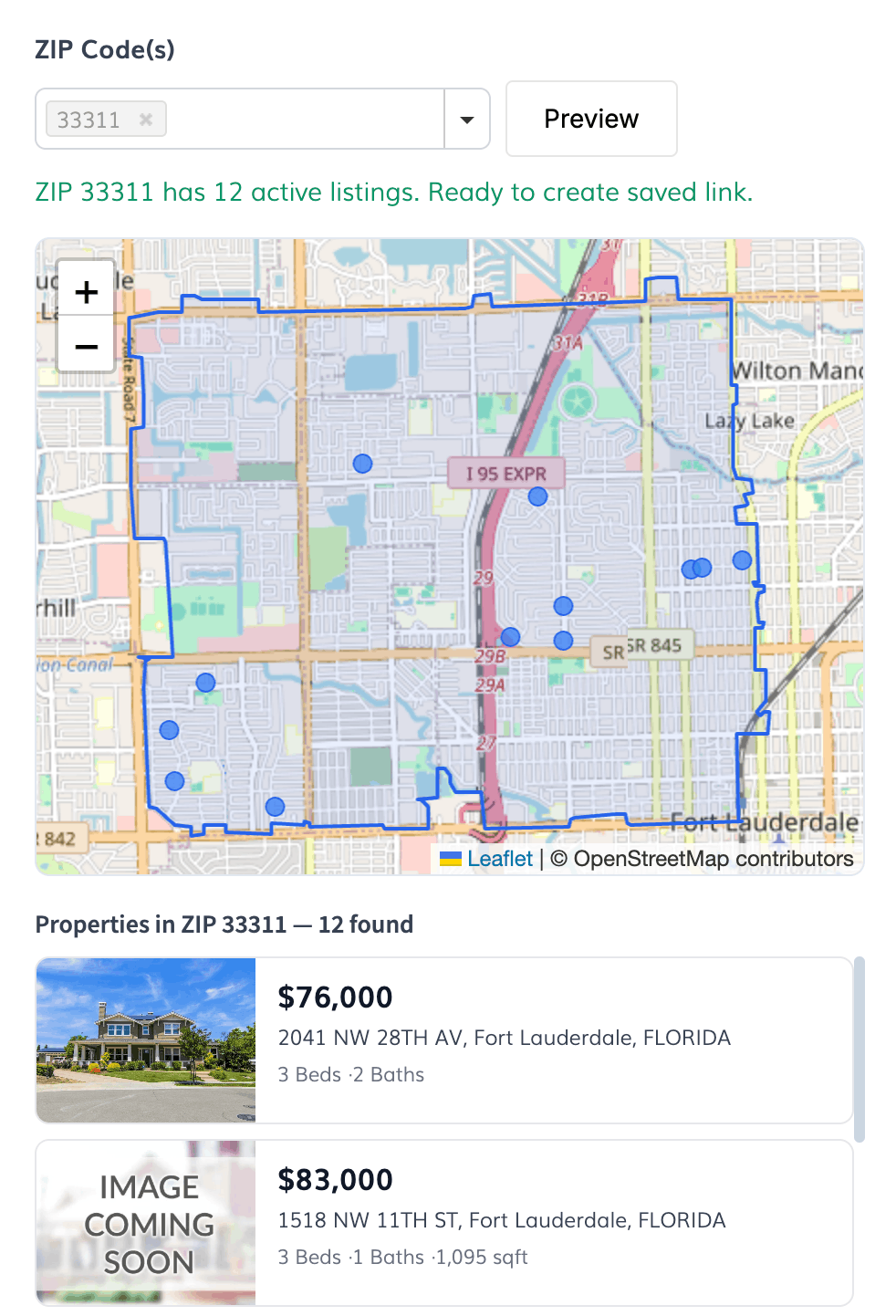
Find ZIP codes and preview boundaries instantly
Use the autosuggest input to search for ZIP codes. Select one or multiple (up to 10), and the tool draws the ZCTA boundary on an interactive map. Active listings from your MLS feed are shown as markers on the map and as listing cards below it, so you can verify the area has the coverage you need before creating the link.
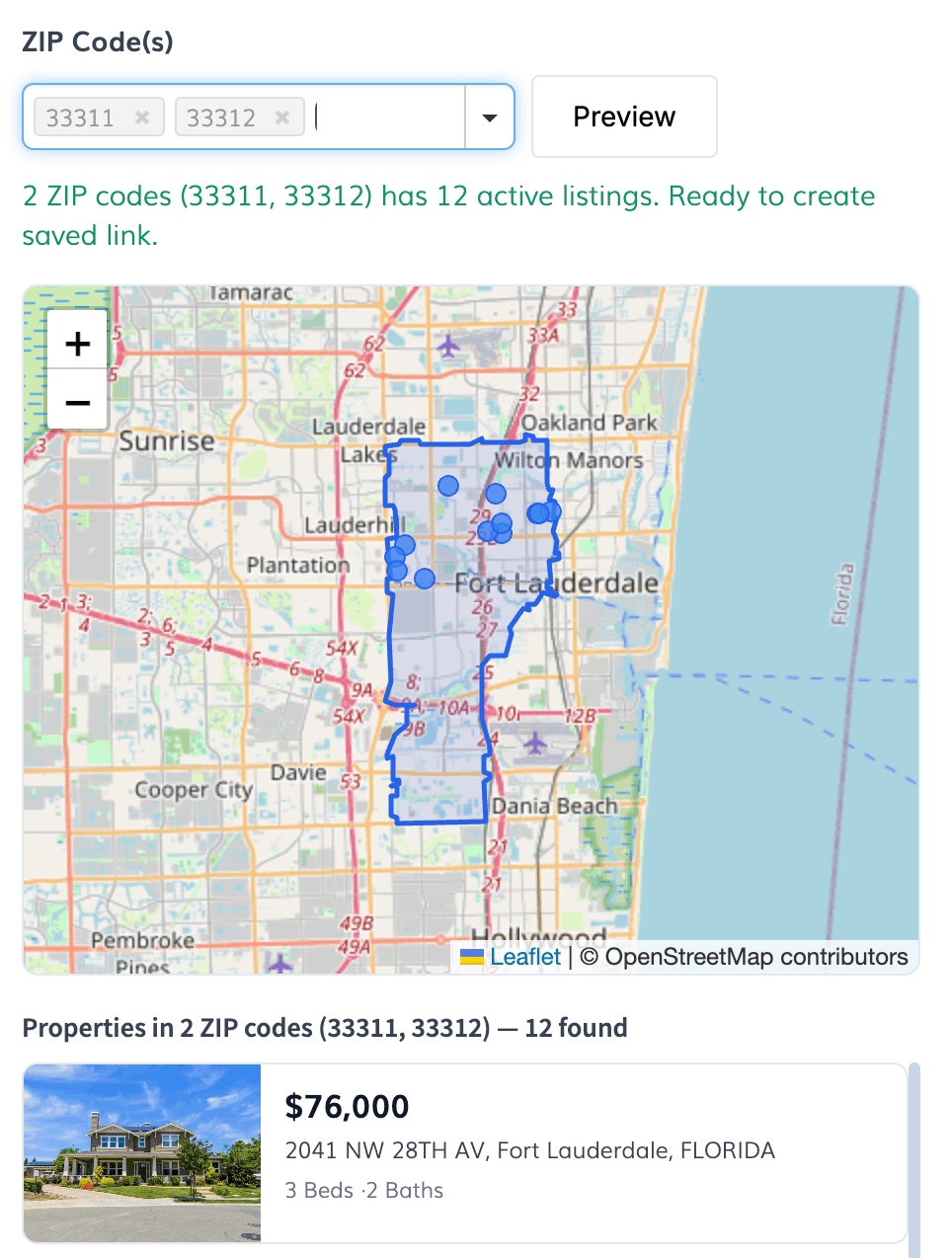
Merge multiple ZIP codes into a single region
Select multiple ZIP codes and they are automatically merged into a single boundary region. The tool uses geographic union to combine adjacent ZIP codes, giving you a larger coverage area in one saved link. Individual ZIP boundaries are shown as dashed outlines so you can see how they fit together.
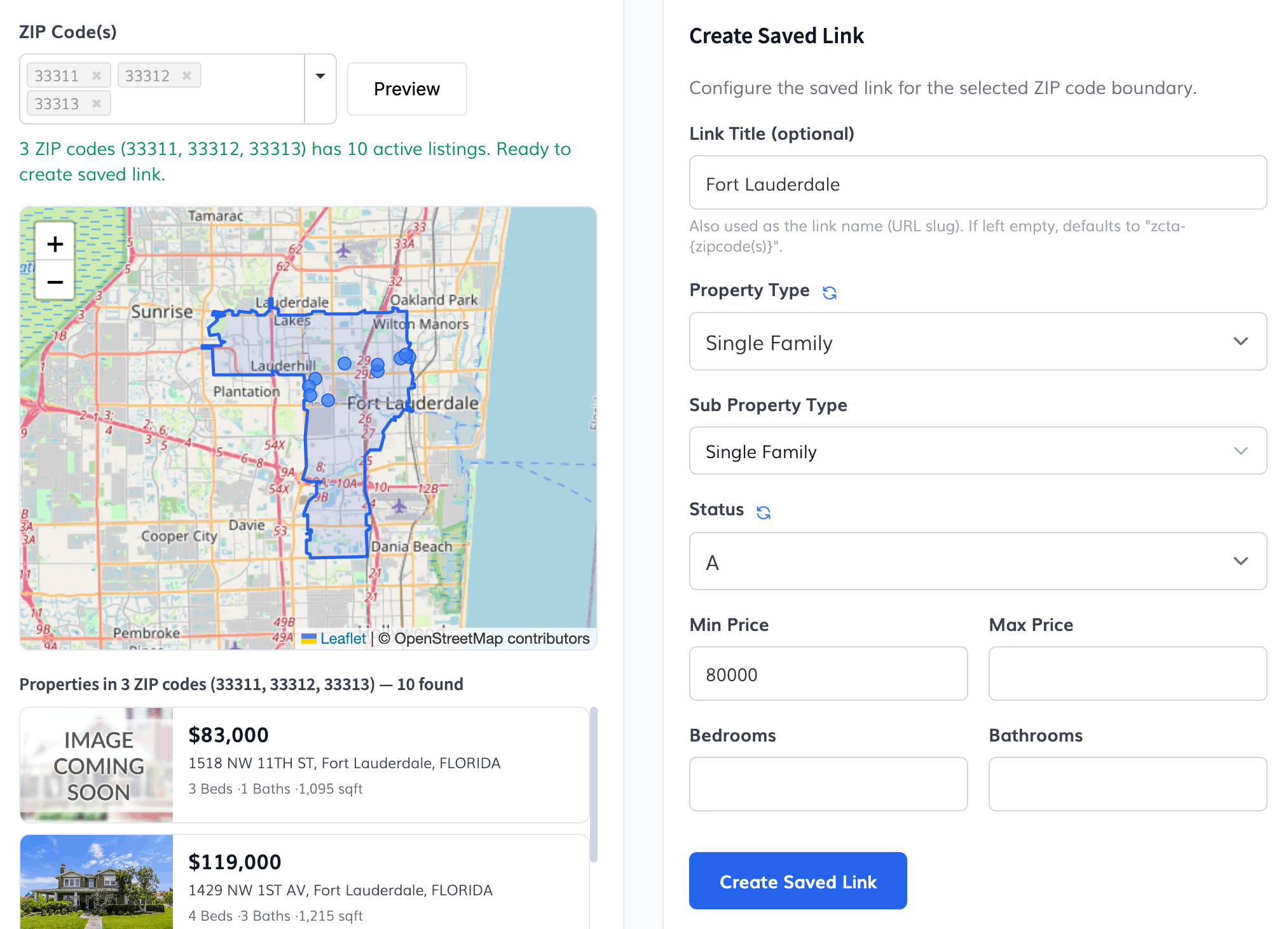
Set property type, price range, and more
Before creating the saved link, configure filters to narrow down the results. Choose a property type and sub-type, set a listing status, define min/max price, and specify bedroom and bathroom counts. The listings preview updates in real time as you adjust filters, so you can see exactly what visitors will find.
Create the saved link and start using it
Once you're happy with the boundary and filters, hit "Create Saved Link" and the tool creates it directly in your IDX Broker account. You'll get a link to the new saved link page right away. Optionally set a custom title — otherwise it defaults to the ZIP code(s) you selected.
United States only
This tool uses U.S. Census ZCTA boundary data and is only available for clients with properties in the United States. ZIP code boundaries are sourced from official Census ZCTA shapefiles.