October 15, 2026
Updates
Search Tool – Custom County and Postal Code Lists
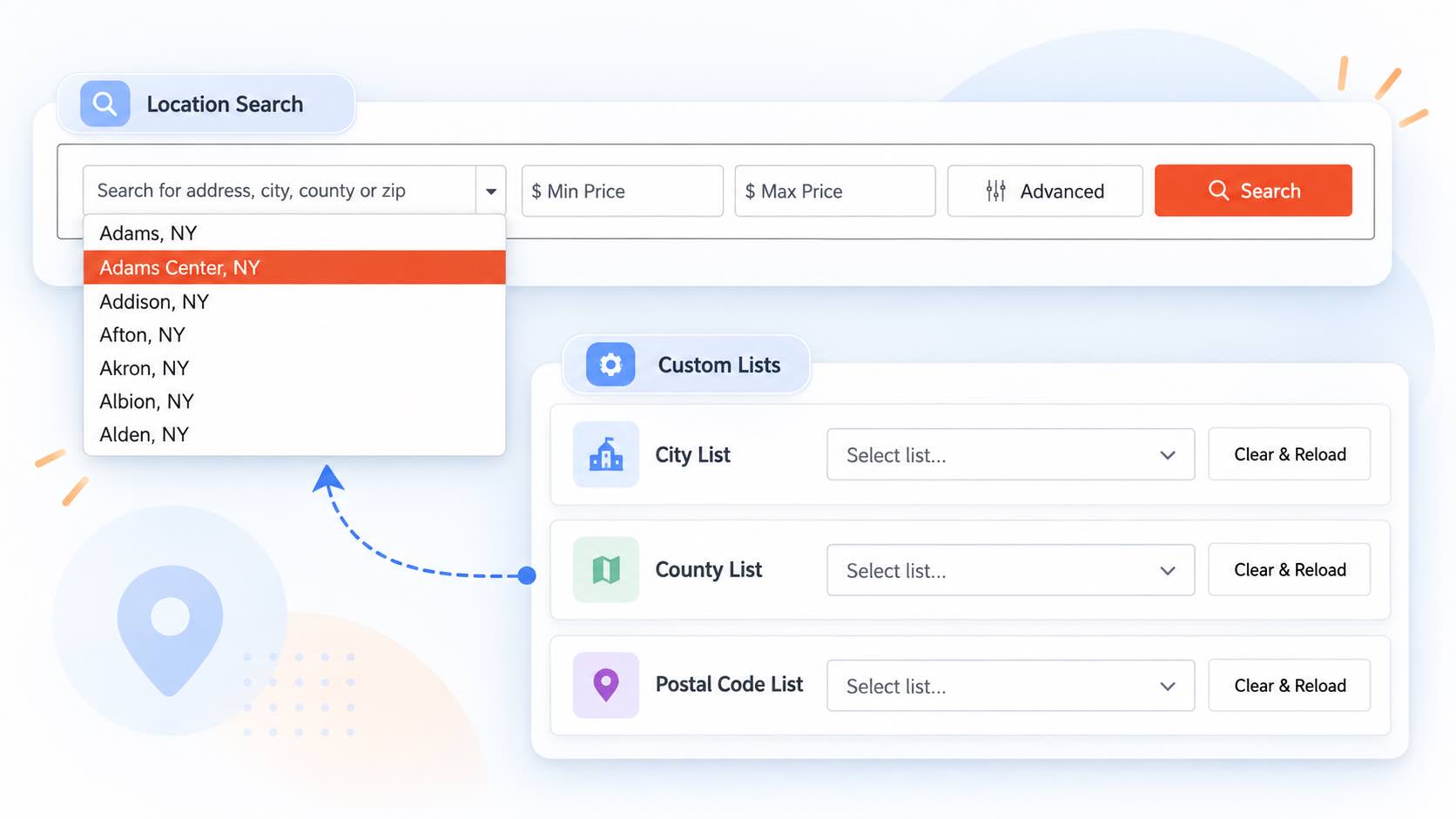
You can now select custom county or postal code lists in the Search Tool to control which locations visitors can search.
When a custom list is selected, the Location dropdown displays only the locations included in that list, and search results are limited to those locations.
You can create and manage custom city, county, and postal code lists in your IDX Broker settings under Location Lists: Manage Location Lists.
This update gives you more control over the geographic areas available to visitors, helping you focus searches on your preferred markets and service areas.
Go to App
October 14, 2026
ImprovementsHighLevel
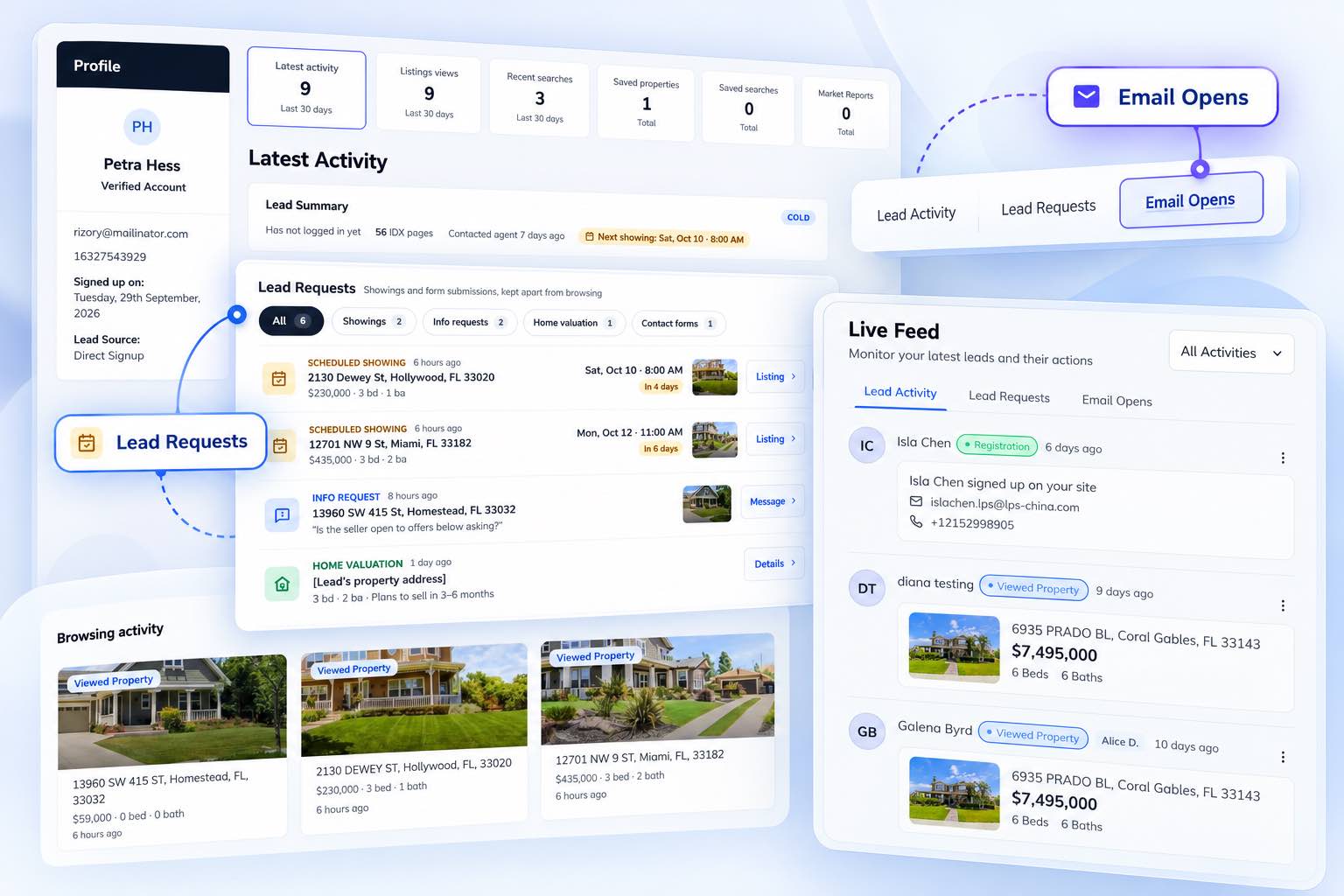
GHL Dashboard – Live Feed, Lead Requests, and Email Activity
We’ve updated the HighLevel Dashboard with new tabs to help you monitor lead activity and identify opportunities for follow-up.
Live Feed
The Live Feed now appears at the top of the dashboard, making it easier to see the most recent lead events at a glance.
Lead Requests
The new Lead Requests tab highlights leads who have taken action, including scheduling a showing, requesting more information about a property, submitting an IDX contact form, or requesting a home valuation. This helps you identify new inquiries and follow up promptly.
The Lead Requests section is also available in the IDX Button.
Email Opens
The Email Opens tab displays activity from IDX Broker property update emails, including opens and clicks. Use this information to identify leads who are engaging with property updates and may be showing stronger interest in the properties they receive.
These updates make it easier to monitor lead activity, prioritize follow-ups, and identify potential opportunities from the HighLevel Dashboard and IDX Button.
Go to App
October 8, 2026
New featuresIDX Broker EngageAnnouncements
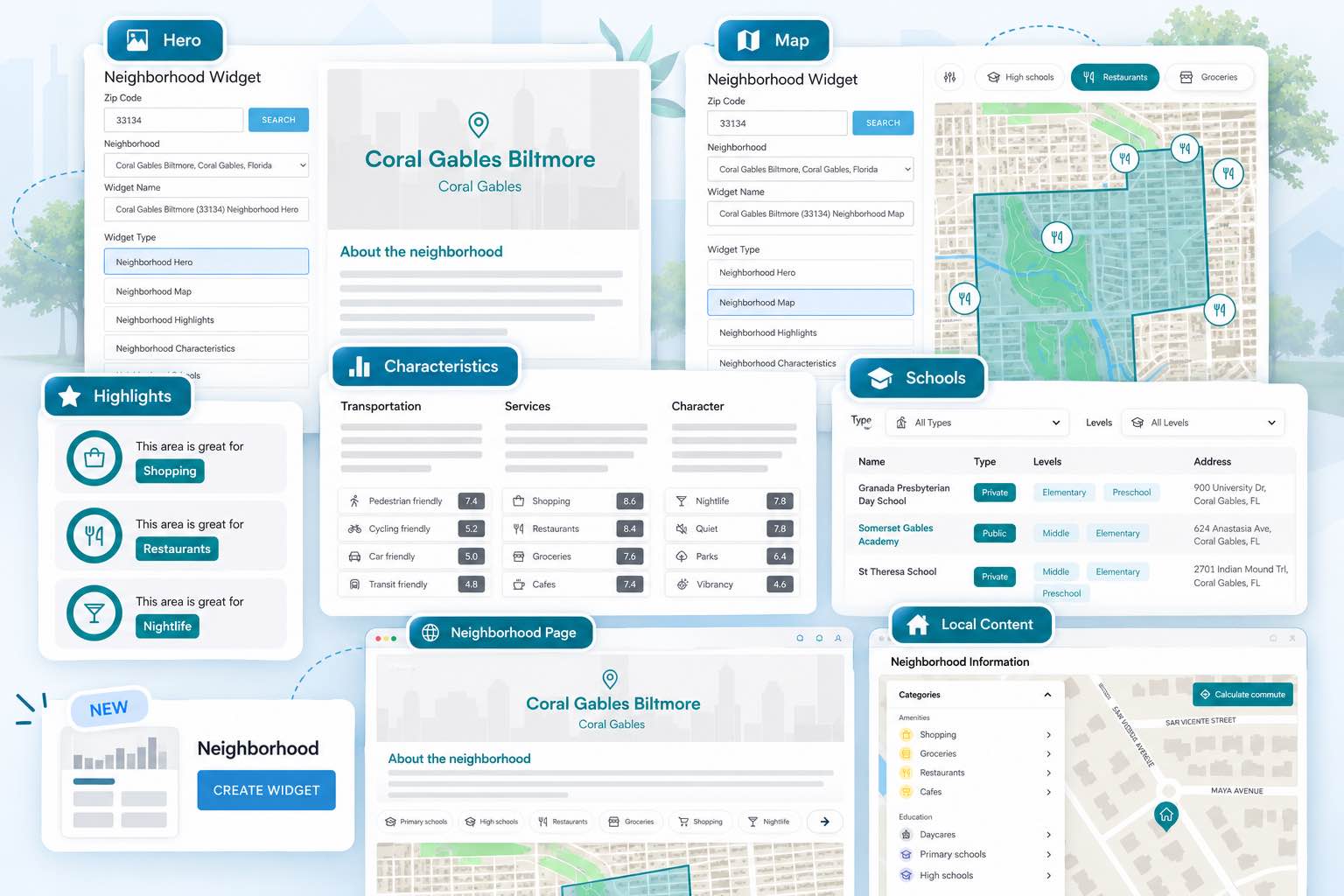
Neighborhood Insights Widgets
IDX Broker has released Neighborhood Insights, powered by Local Logic, bringing neighborhood data and insights directly to IDX Broker websites.
IDX Broker now offers five new neighborhood/community widgets that can be used to add local information to existing pages, including:
- Neighborhood Map — An interactive map showing nearby restaurants, shops, services, and other points of interest.
- Neighborhood Highlights — Highlights the categories where a neighborhood scores highest.
- Neighborhood Characteristics — Provides scores and plain-language information about transportation, services, and the character of the area.
- Neighborhood Schools — Displays nearby schools, including ratings where available.
- Neighborhood Hero — Adds a neighborhood image and introductory information.
You can search for a neighborhood by ZIP code, select the neighborhood you want to feature, and then add the corresponding widget to your site.
These widgets can be used on existing community pages, area guides, About pages, blog posts, and other pages to provide visitors with additional information about the neighborhoods your clients serve.
IDX Broker also now includes Local Content on listing detail pages for eligible accounts. This provides neighborhood information centered around the property, including walkability, transportation, amenities, schools, nearby points of interest, and commute information.
Availability: Neighborhood Insights is available for U.S.-based IDX Broker Engage and Elite accounts. Local Content is enabled automatically on eligible listing pages, while neighborhood pages and widgets require setup. Core accounts can access these features by upgrading to Engage or Elite.
The neighborhood data is provided and maintained by Local Logic, so there is no neighborhood information that agents need to manually research or maintain.
Learn More
September 23, 2026
UpdatesHighLevel
Home Valuation Widget – Disable Agent Notifications for Market Insights
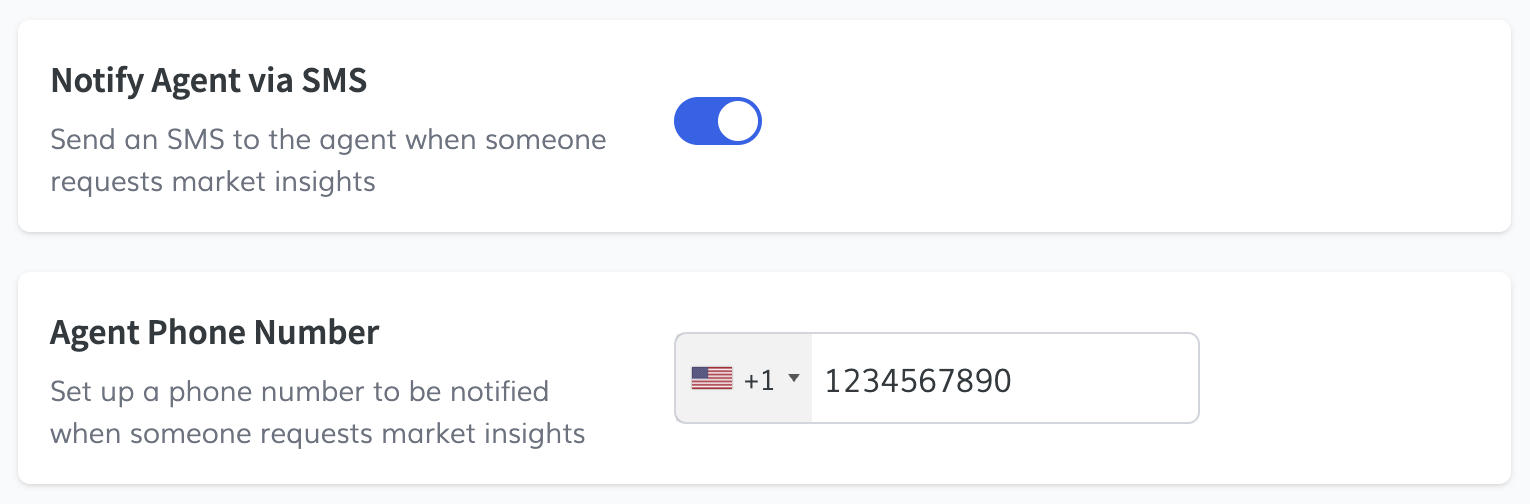
You can now turn off the agent notifications sent by our service when a lead requests Market Insights through the Home Valuation Widget.
This is useful for clients who already handle these notifications through a HighLevel workflow and don’t need to receive an additional notification from our service.
This setting gives you more control over how Market Insights requests are handled and helps avoid duplicate notifications.
Go to App
September 22, 2026
New featuresBeta
IDXStyles – Custom CSS Import and Export
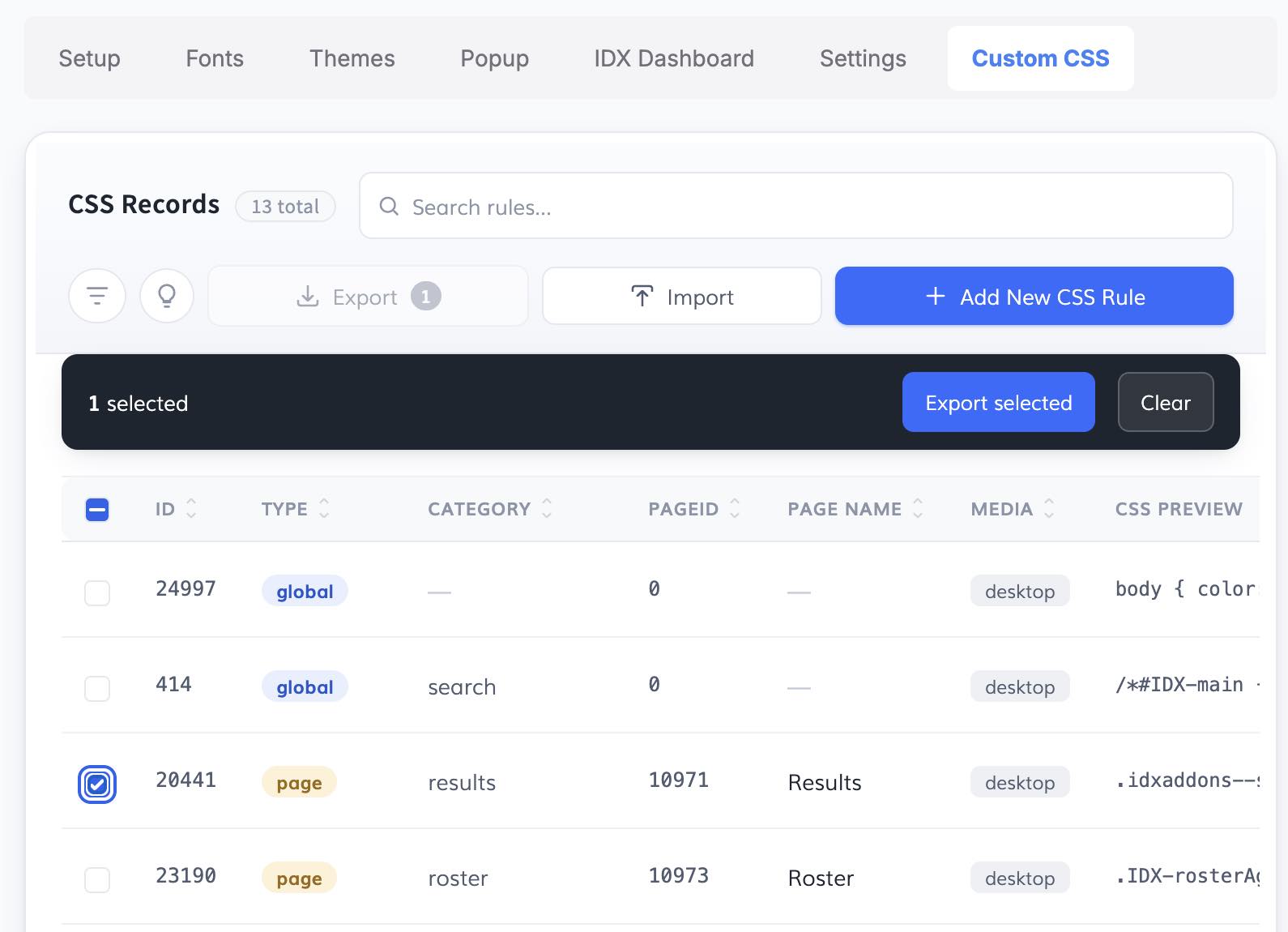
We’re introducing a new Custom CSS Import/Export feature in IDXStyles, making it easier to manage and reuse CSS rules across IDX pages.
You can now import or export CSS rules for all IDX pages or for specific individual pages. This is especially useful for agencies and developers who use similar styling rules across multiple clients or need to apply specific customizations to different IDX pages.
You can also edit or delete individual CSS rules for each page, giving you more control over page-specific styling.
This makes it easier to reuse, manage, and maintain custom CSS across IDX sites.
Go to App
September 21, 2026
New featuresHighLevel
Featured Lender – SPW PRO
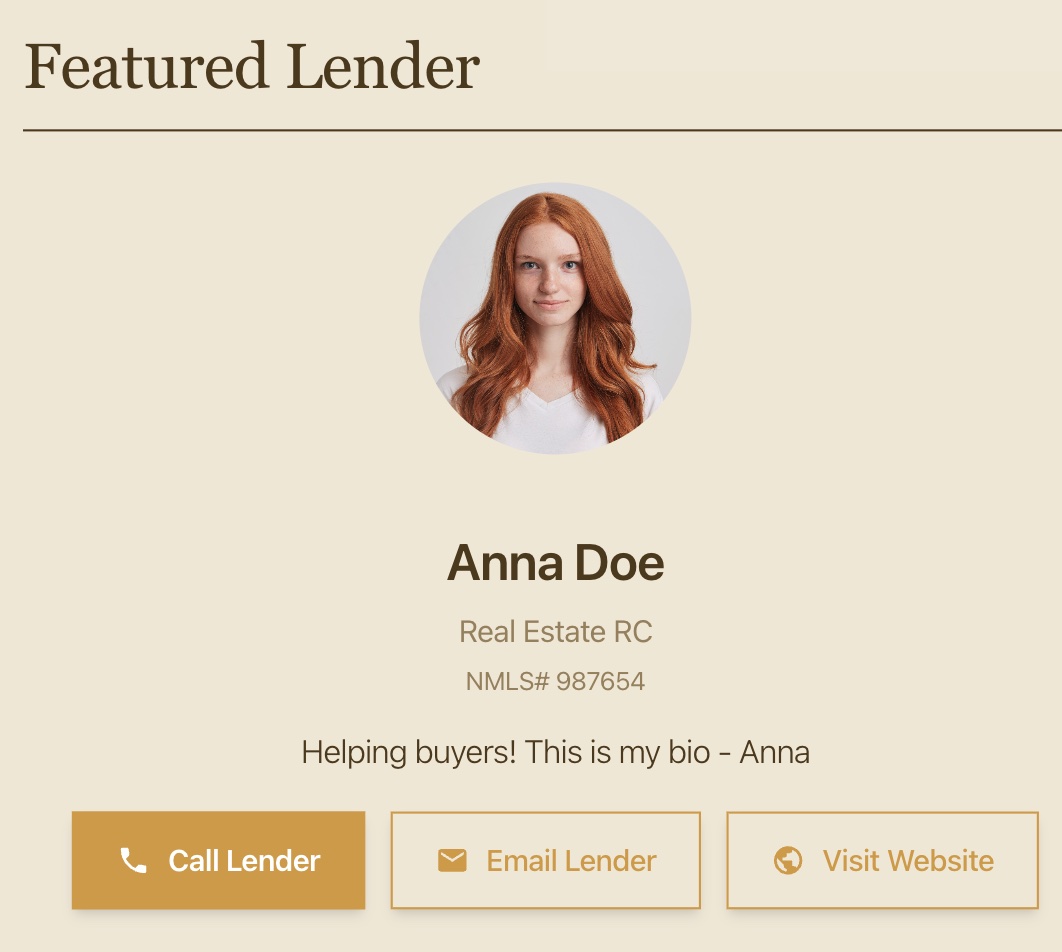
Single Property Websites (SPW PRO) now include a Featured Lender section that lets you add lender information to individual property websites.
Available fields include:
- Lender Name
- Lender Company
- Photo URL
- Phone
- Email
- NMLS #
- Website URL
- Tagline / Bio
The Featured Lender settings also work with Global Defaults, allowing you to configure default lender information that will automatically be used across your Single Property Websites. Individual websites can override these defaults when different lender information is needed.
Available with SPW PRO – $9/month.
Go to App
September 3, 2026
BetaUpdates
Dynamic Widget – Advanced Fields and Search Bar
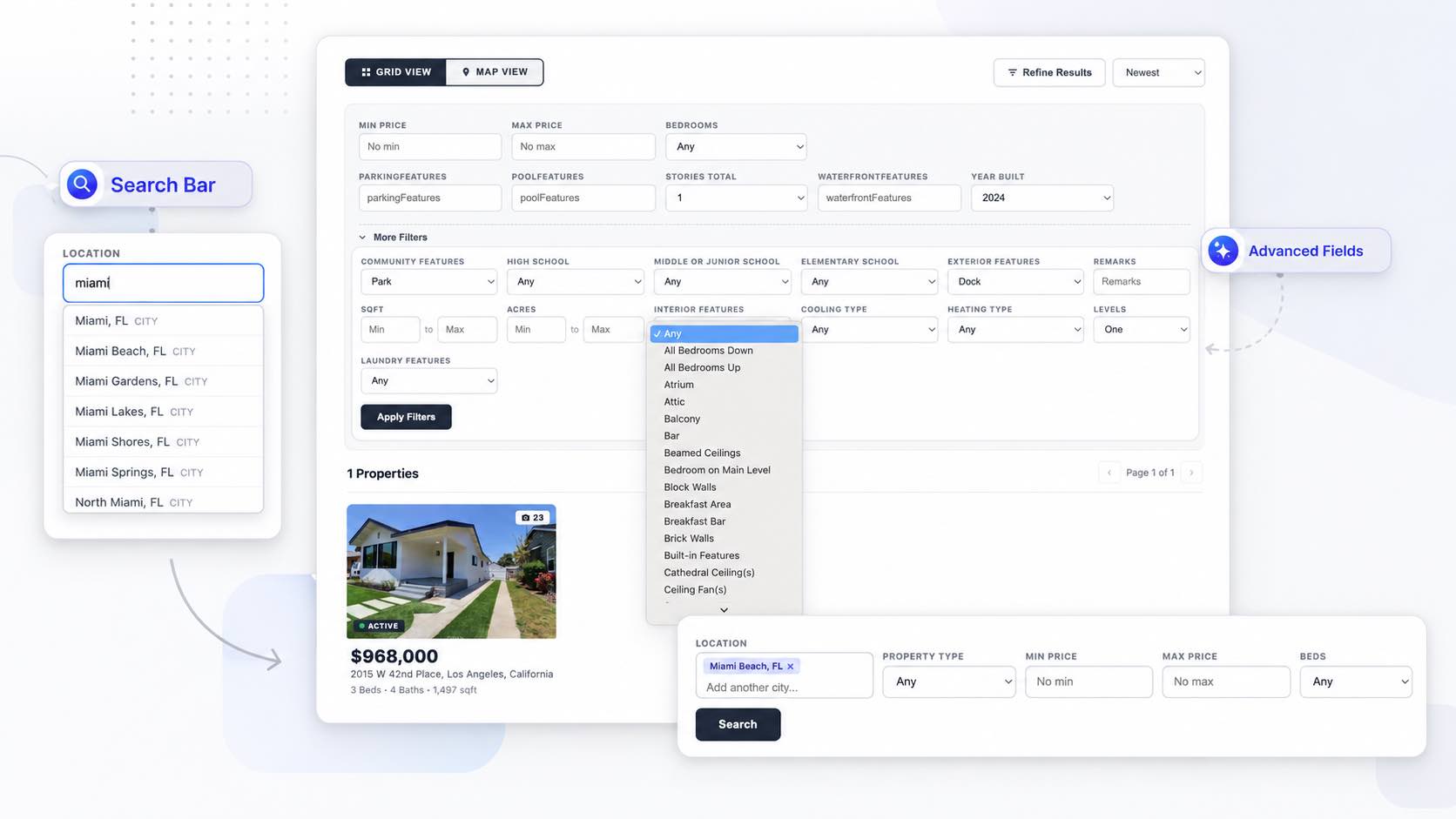
We’ve added two new features to the Dynamic Widget: Advanced Fields and the Dynamic Widget Search Bar, giving you more flexibility in how visitors search and refine listings.
Advanced Fields
You can now select up to 5 hand-picked advanced fields to display in the Dynamic Widget’s Refine Search section. This makes it easy to choose only the advanced search options that are most relevant to your visitors.
We’ve also included the fields that are available by default on IDX Advanced Search pages. These can be displayed automatically in Refine Search without selecting individual fields.
Dynamic Widget Search Bar
The new Search Bar allows visitors to start their search from your homepage or another page and then be taken directly to your Dynamic Widget results page with their search criteria already applied.
Setup:
- Install the Dynamic Widget on your search results page using the Setup tab.
- Optionally select Advanced Fields in the Setup tab. These fields will also be available in the Search Bar.
- Add the Search Bar code to your homepage or any other page.
- When visitors perform a search, they’ll be taken to the results page with the Dynamic Widget automatically filtered based on their search criteria.
Together, these updates make the Dynamic Widget more flexible while giving visitors a faster and more seamless way to search for properties.
Go to App
September 2, 2026
ImprovementsHighLevel
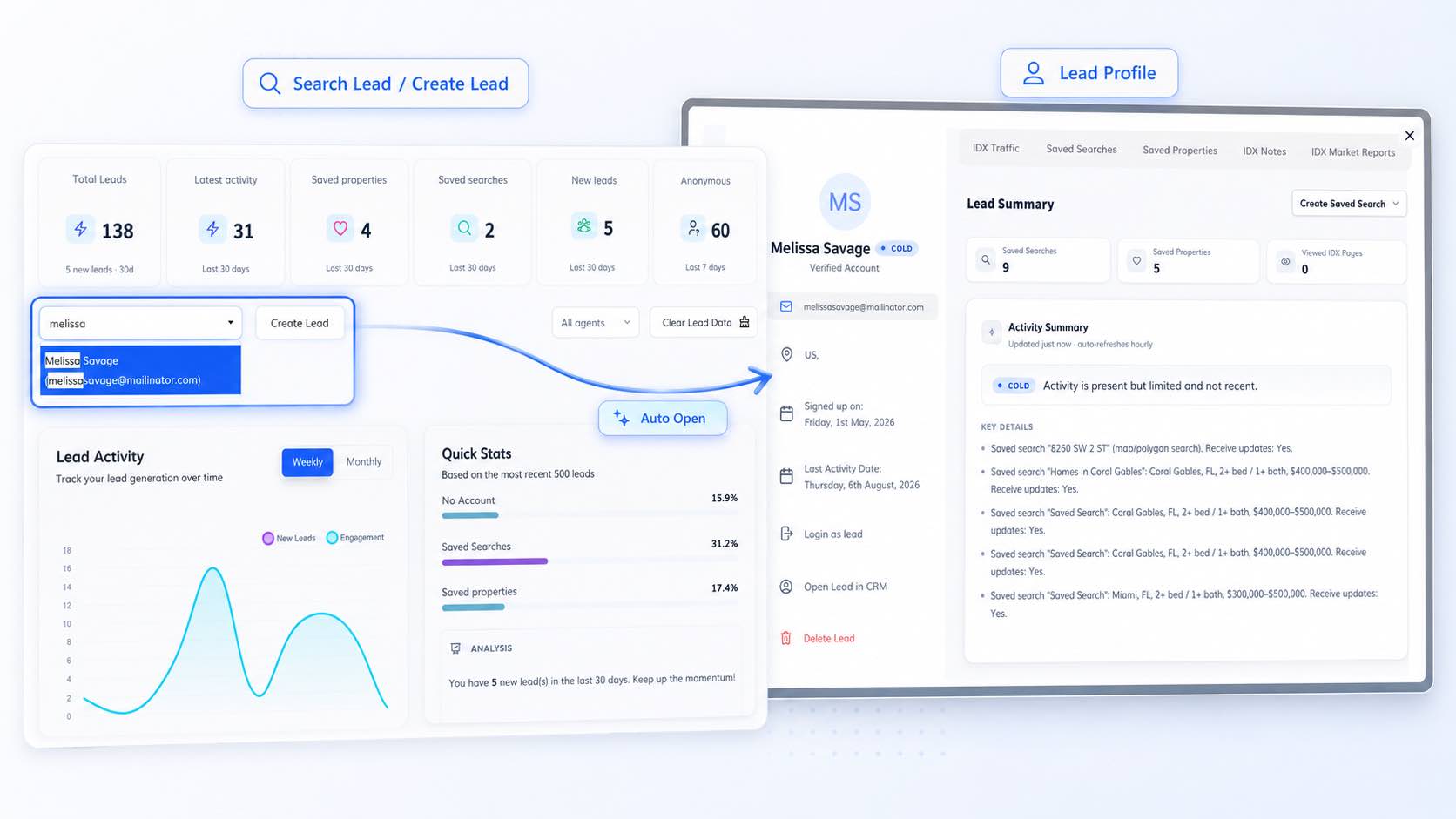
GHL Dashboard – Automatically Open Lead Profile
In this update to the HighLevel Dashboard, when you search for a lead or create a new lead, the Lead Profile will now open automatically with the lead’s information.
This makes it easier to continue with actions such as creating saved searches or reviewing lead-specific information without needing to open the profile manually.
This update provides a smoother and more streamlined experience when working with leads.
Go to App
September 1, 2026
UpdatesHighLevel
HighLevel Custom Objects – Listing Agent for Office Accounts
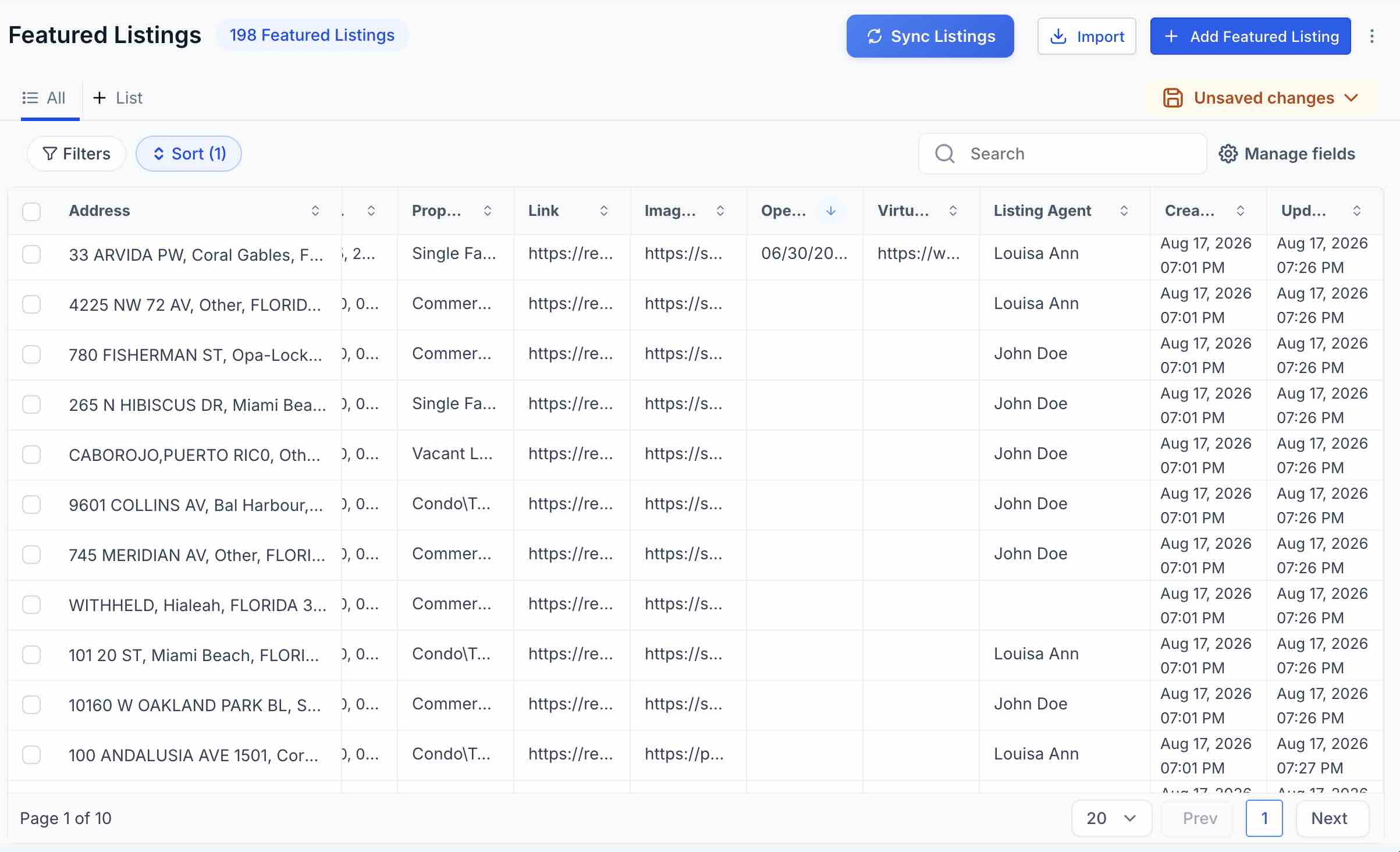
For Office Accounts, we’ve added a new Listing Agent field to the Featured Listings Custom Object in HighLevel. This field stores the name of the agent assigned to each listing in IDX Broker.
This makes it easier to use the listing agent information in HighLevel workflows and automations, such as assigning records to the appropriate HighLevel user based on the listing agent.
For clients who already have the Featured Listings Custom Object schema installed, a new option will be available to add the Listing Agent field to their existing schema.
Go to App
August 31, 2026
New featuresBeta
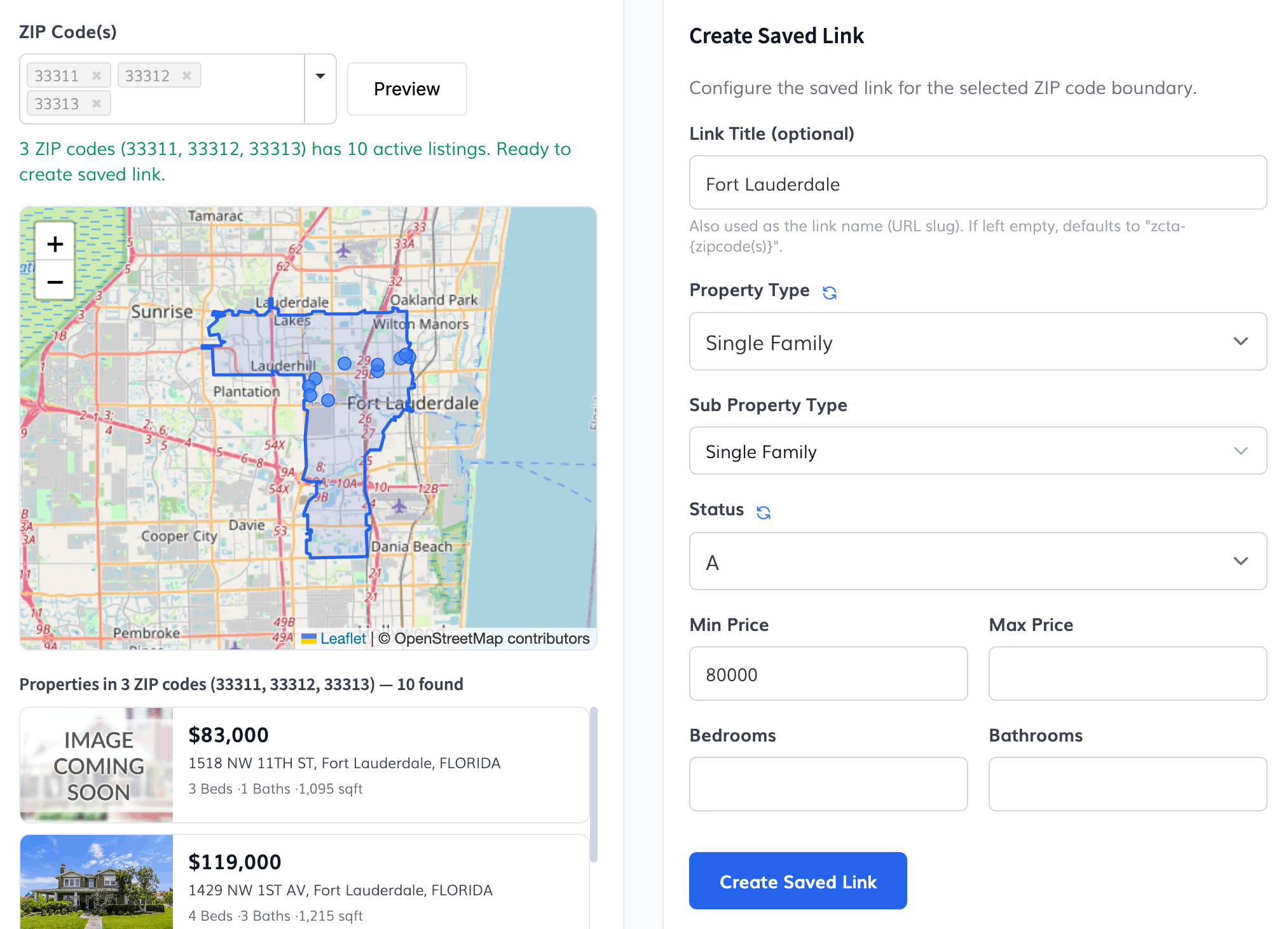
Create Saved Link – ZCTA
We’re introducing a new tool that makes it easy to create IDX Broker Saved Links based on ZIP code boundaries.
Search for one or more ZIP codes, preview the boundaries and active listings on an interactive map, configure your search filters, and create a Saved Link — all from one screen.
Key features:
- Select up to 10 ZIP codes for a single Saved Link.
- Preview ZCTA boundaries and active MLS listings on an interactive map.
- Combine multiple ZIP codes into a single geographic area.
- Add filters for property type, subtype, status, price, bedrooms, and bathrooms.
- See listing results update in real time as you adjust your filters.
This makes it easier to create precisely targeted Saved Links for specific areas without manually determining geographic boundaries.
Note: This tool uses official U.S. Census ZCTA (ZIP Code Tabulation Area) boundary data and is currently available only for clients with properties in the United States.
Go to App