May 13, 2026
AnnouncementsHighLevel
IDX Button Position Update
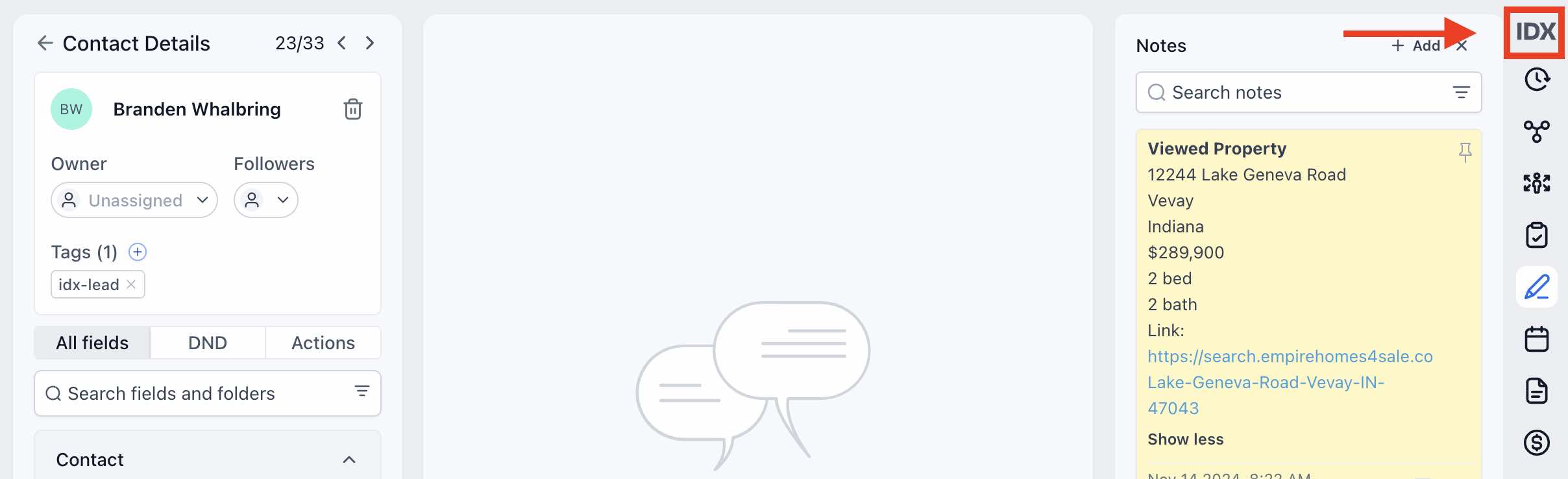
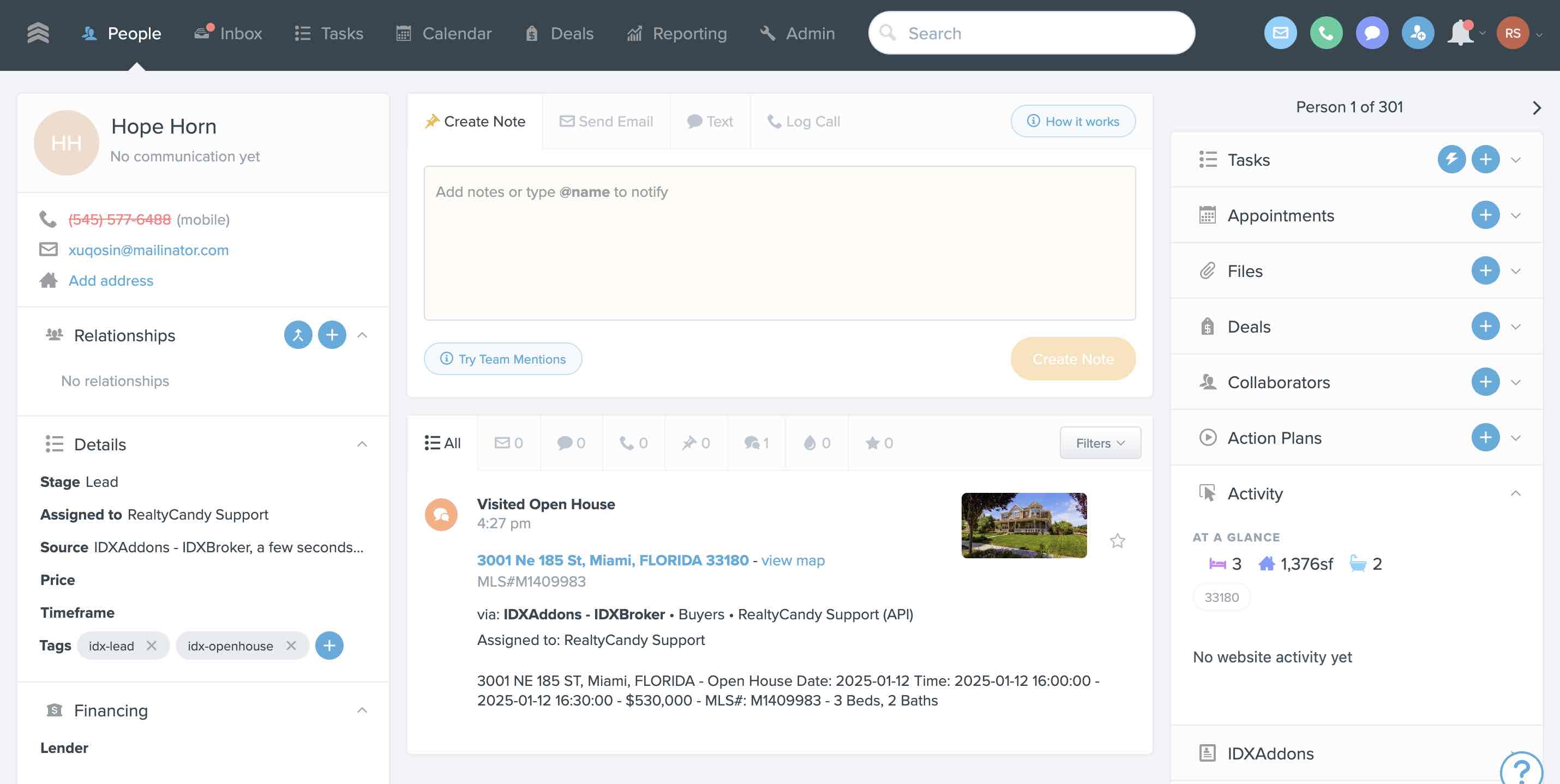
We have updated the position of the IDX Button in the Contact Details page to the right sidebar.
This change ensures the IDX Button is always visible, regardless of whether a previous conversation has been started with the contact.
This provides a more consistent experience and makes it easier to quickly access IDX lead tools and information inside HighLevel.
Go to App
May 12, 2026
UpdatesHighLevel
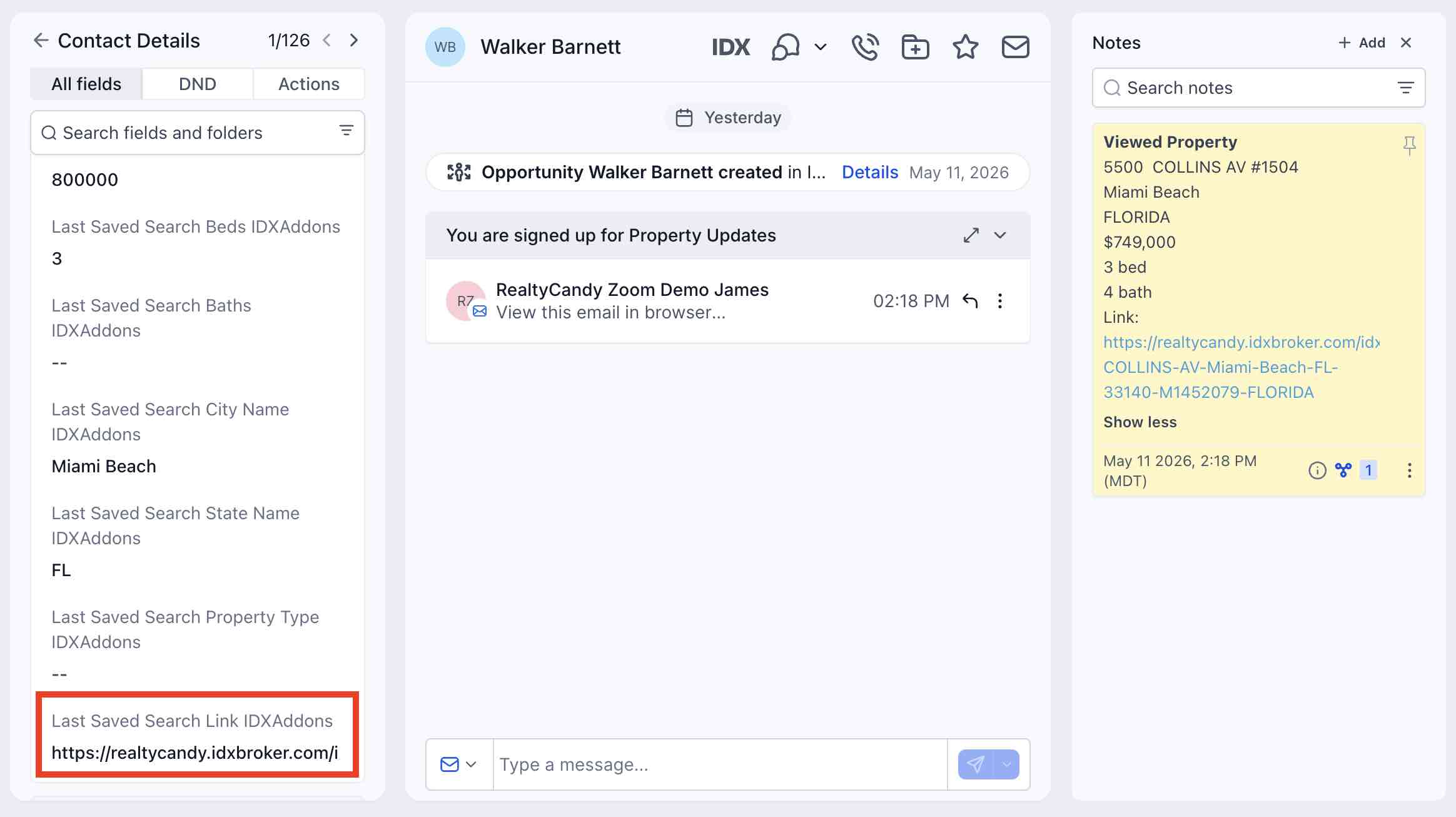
Autologin Code Added by Default to Last Saved Search Link Custom Field
In this update, the Last Saved Search Link IDXAddons custom field will now automatically include the autologin code required for leads to access IDX pages without manually entering their login credentials.
This update applies to saved searches created through:
- The IDX Button
- The HighLevel Dashboard
- Webhook endpoints used in workflows to create saved searches
By automatically generating autologin links, this update creates a smoother experience for leads and makes it easier to send direct property search links through emails, SMS campaigns, and automations.
Note: This update is not retroactive and only applies to newly created saved searches.
Go to App
May 11, 2026
New featuresHighLevel
Lead Basic & Advanced Searches – Default Active Status & Primary MLS Selection
In this update to the Lead Basic Search and Lead Advanced Search pages, the “Active” status is now selected by default when creating new saved searches for your leads.
This streamlines the search creation process by automatically applying the most commonly used listing status, reducing the need to manually adjust filters each time.
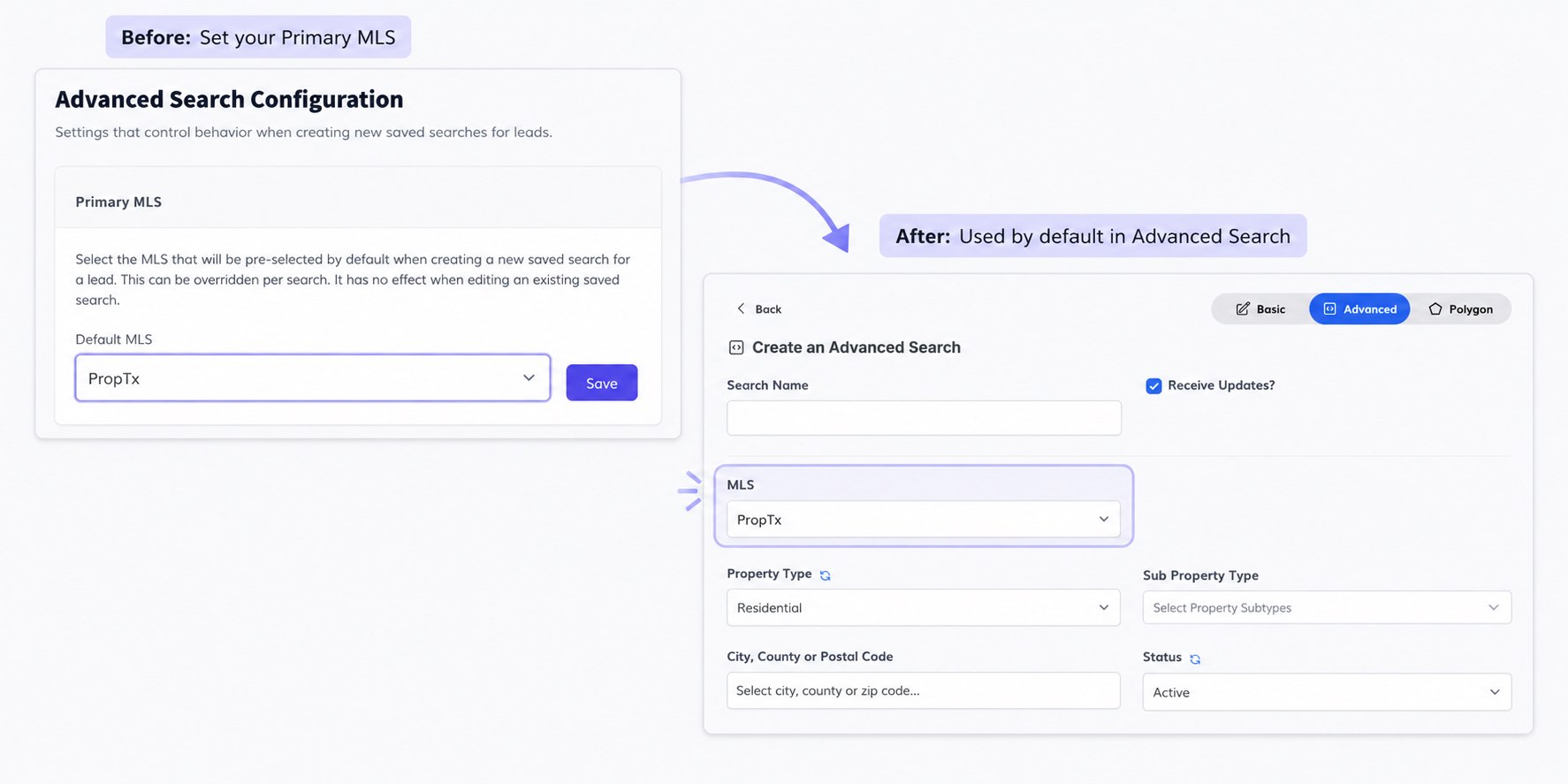
Additionally, clients using multiple MLSs can now select a primary MLS to use by default in Advanced Searches. This helps save time and creates a more efficient workflow by avoiding repetitive setup steps.
Set your Primary MLS
May 1, 2026
New features
Open House + FUB Integration
We’ve now integrated the Open House app with our Follow Up Boss integration. Lead form submissions made through our Pre-Built Forms will now automatically send contact data to your FUB account.
This helps streamline lead capture during open houses, reduces manual data entry, and ensures new leads are ready for follow-up inside your CRM right away.
Go to App
April 30, 2026
IDX Broker EngageUpdatesHighLevel
GHL Advanced Search Survey – Select Displayed Property Types
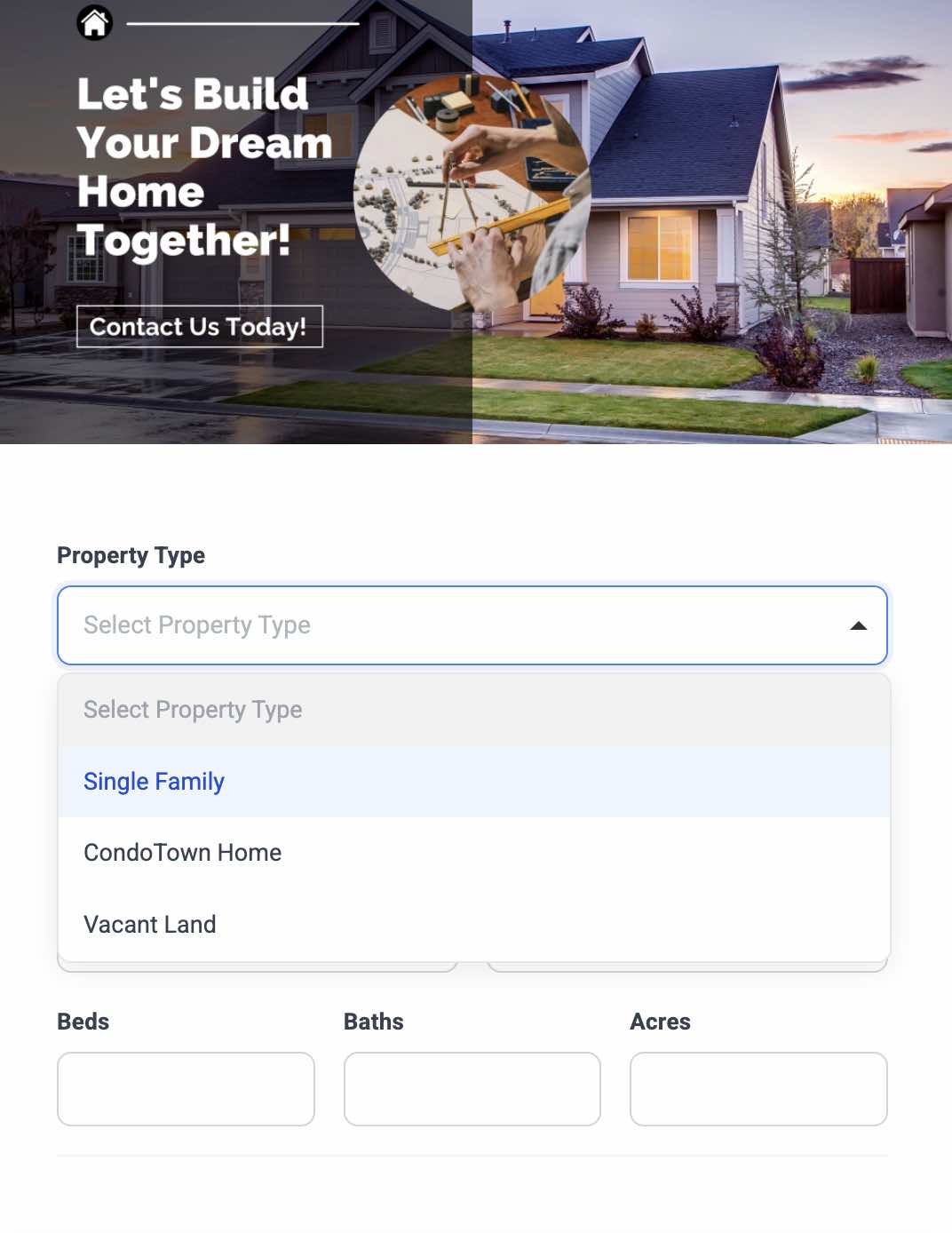
In this update, you can now choose which property types will be displayed in the survey.
This allows you to focus on specific listing categories relevant to your market or campaign, instead of showing every available option. It helps create a cleaner survey experience, reduces distractions, and can improve lead completion rates by keeping questions more relevant.
Note: Available property types depend on your MLS.
Go to App
April 29, 2026
New features
Home Valuation – Custom Email Content
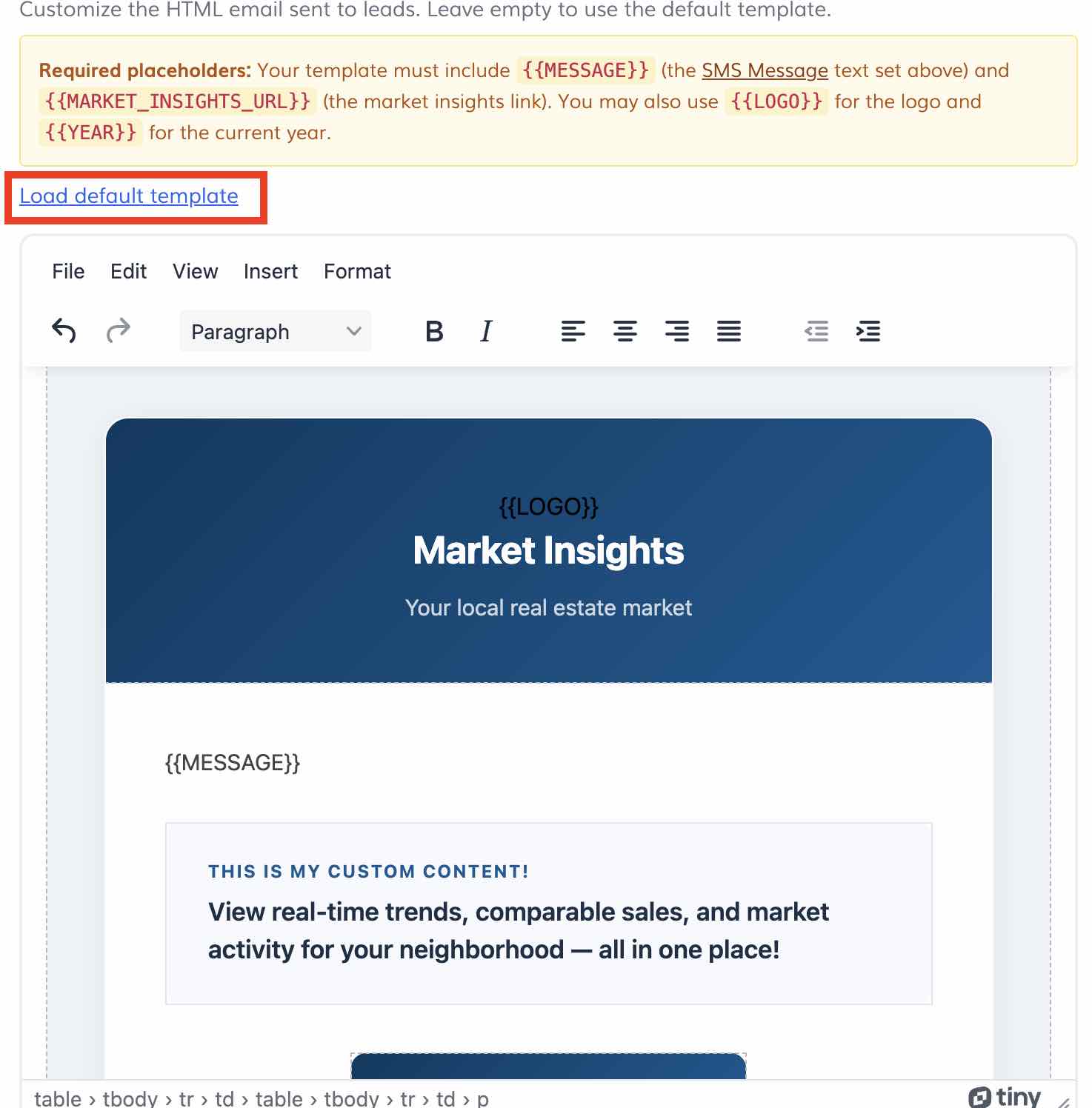
In this update, you can now customize the content of the email sent to leads when they request Market Insights via email.
This allows you to brand the message with your own voice and style, create a more professional experience, and include personalized calls to action such as scheduling a consultation, requesting a home valuation, or contacting your team.
It also helps improve engagement by delivering a more relevant and polished message to potential seller leads.
Go to App
April 28, 2026
IDX Broker EngageUpdatesHighLevel
Polygon Search & Select Listings for Lead Saved Searches
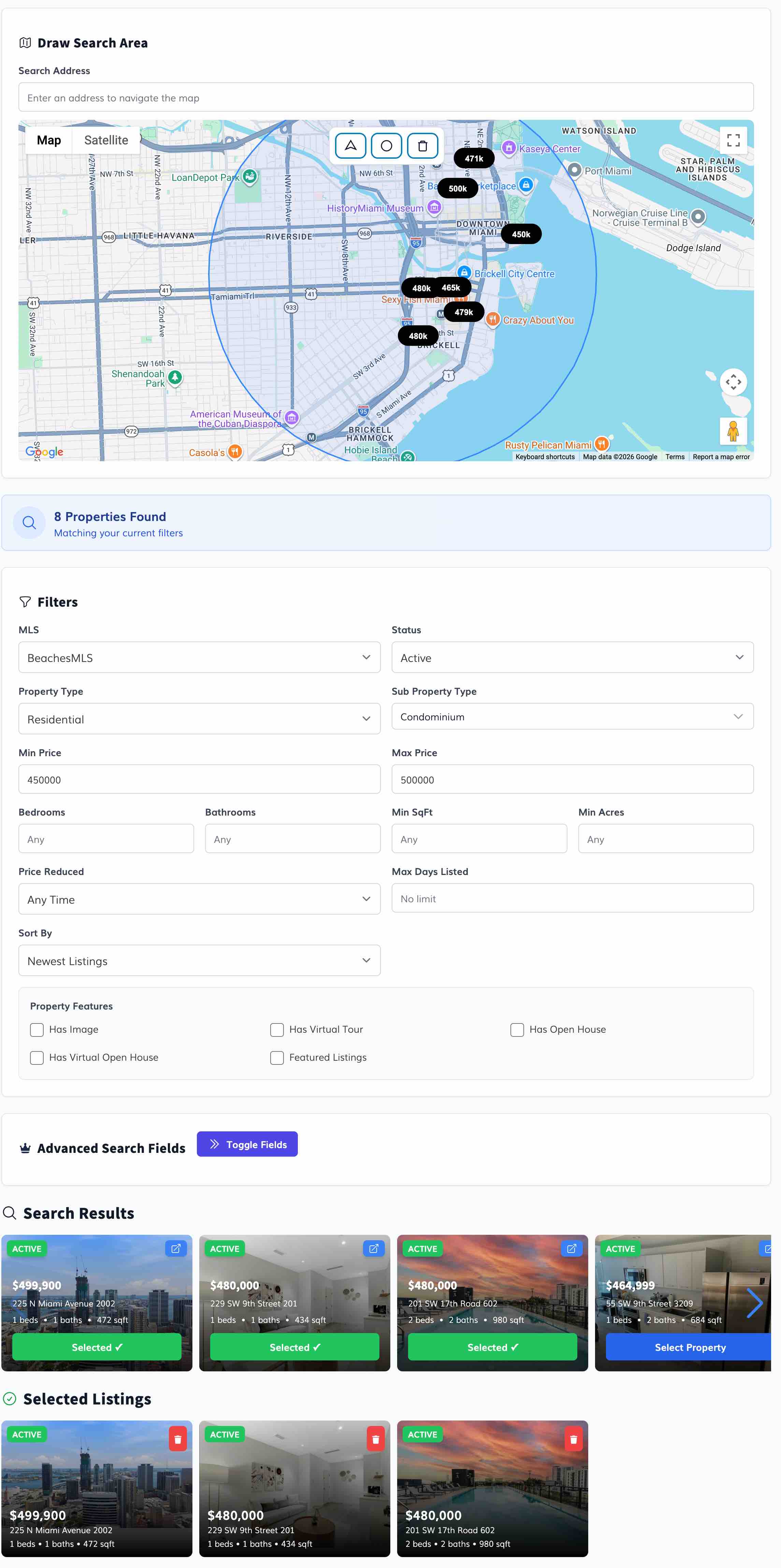
We’ve updated the Lead Polygon Search and Select Listings tools used to create saved searches for your leads. These features are available directly in IDXAddons, through the HighLevel Dashboard, or via the IDX Button inside HighLevel.
What’s new:
- Select multiple property subtypes in Polygon Search
- Improved user interface for a smoother experience
- Added IDX Broker default advanced fields as a fallback
- More filters and advanced fields in Select Listings to find specific properties faster
This update makes it easier to create highly targeted saved searches and handpick listings that better match your leads’ needs.
April 27, 2026
Updates
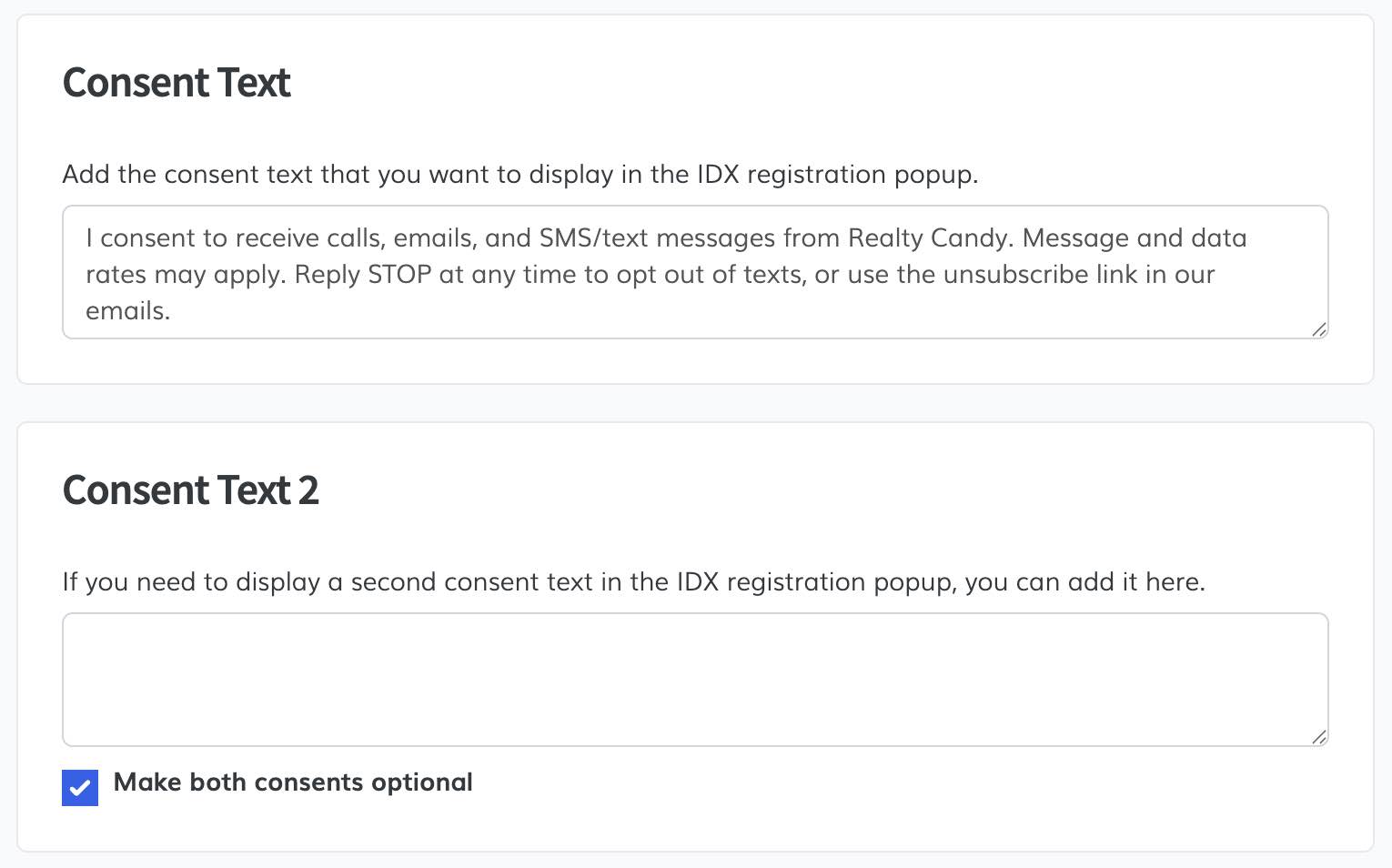
Popup Registration – Optional Consent Texts
In this update to IDXStyles, where you can customize your registration popup, you can now make the registration consent texts optional within Popup Registration settings.
This is especially useful for clients who need more flexibility to align their forms with A2P compliance requirements or specific lead capture workflows.
Go to App
April 24, 2026
New featuresIDX Broker Engage
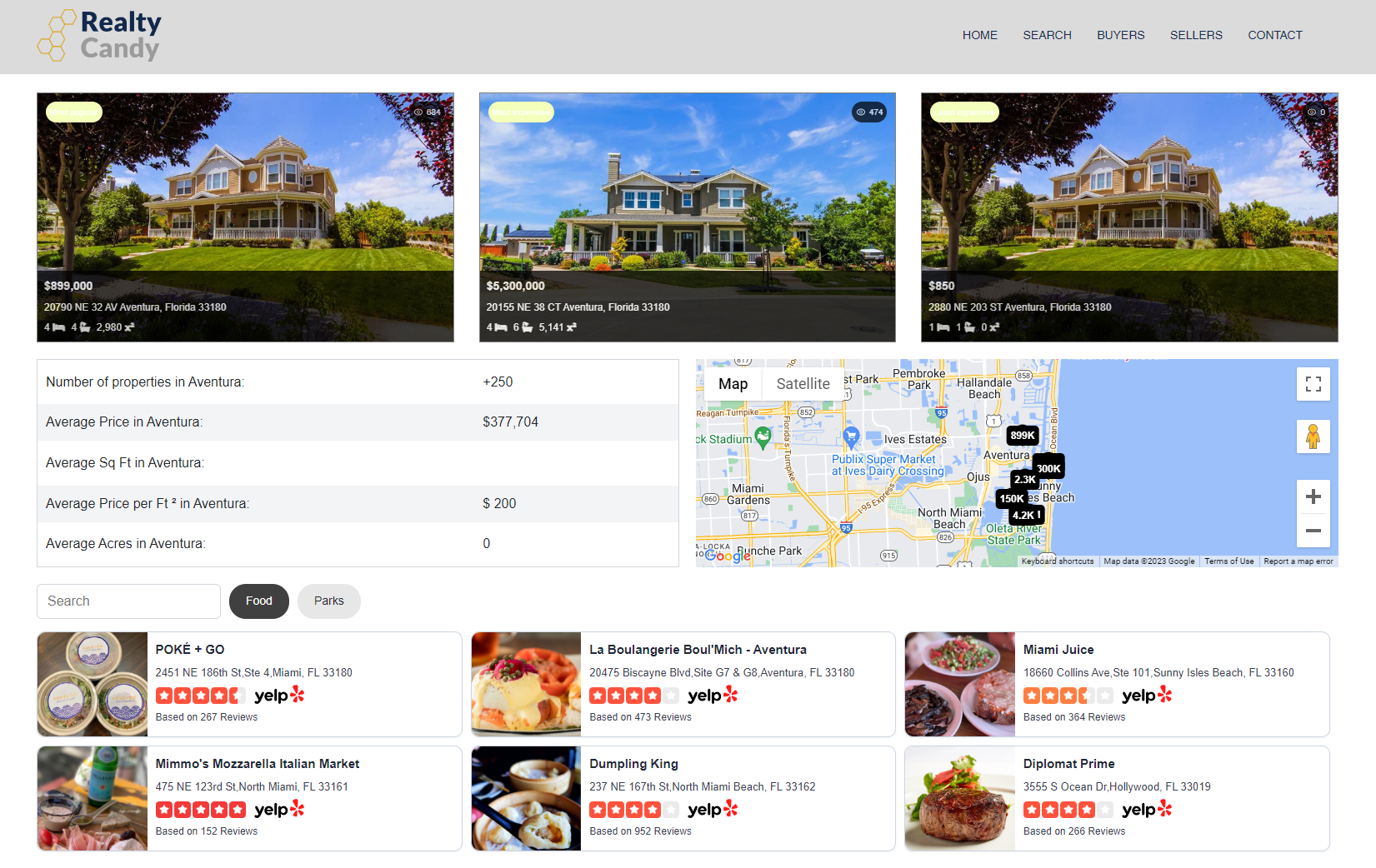
One-Click Community App – Overwrite or Append Subheaders
In this update, if you already have an existing IDX saved link, you can now choose to overwrite or append widgets to your IDX sub-headers using the One-Click Community app.
Available widgets include:
- Community Description
- Yelp Business (requires your own Yelp API key)
- Market Report
- Listing Stats
- Community Info
- Community Map
This provides greater flexibility for clients who already have community pages set up, making it easier to enhance them with richer content and data.
Go to App
April 23, 2026
Updates
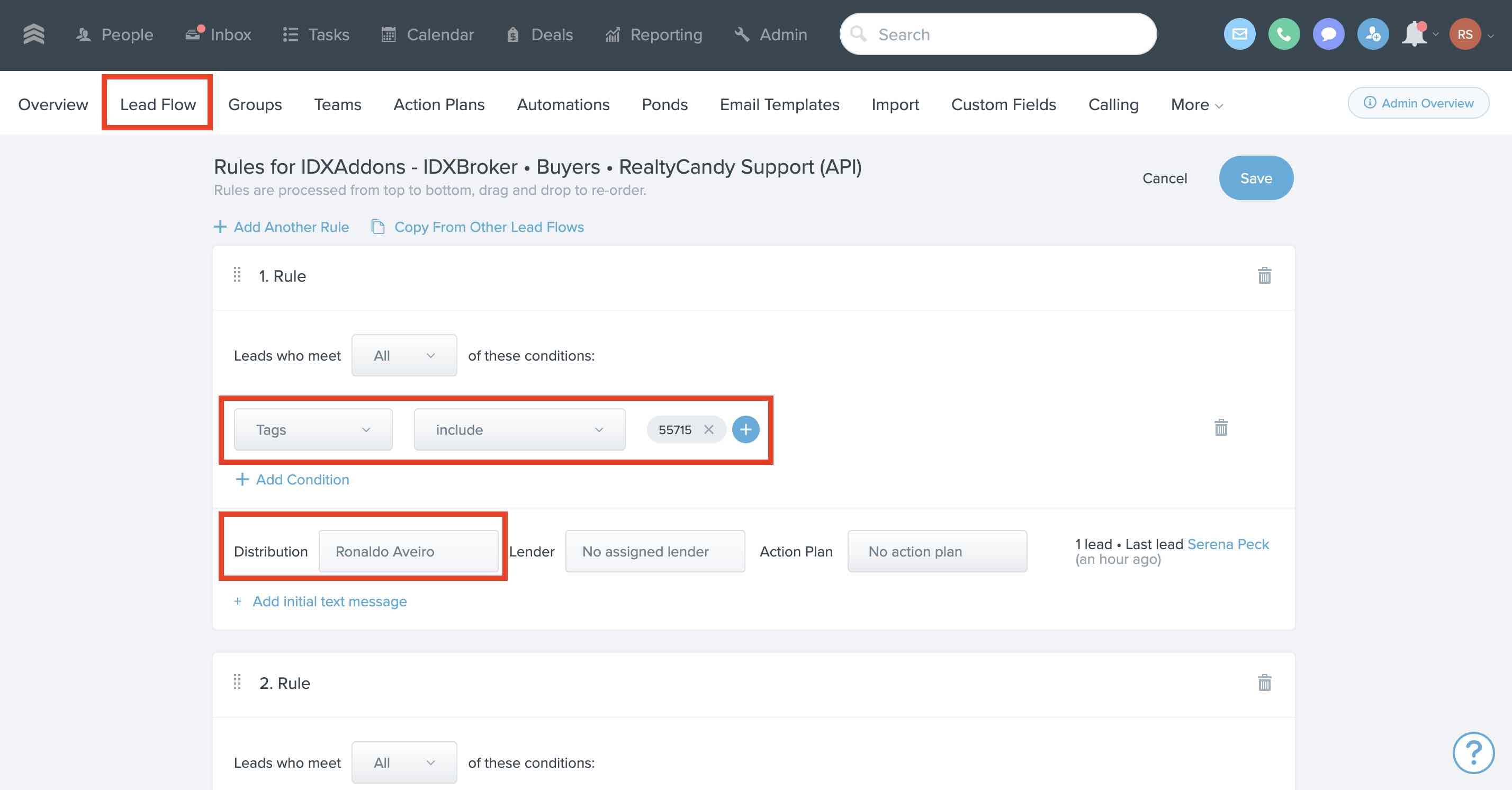
FUB Office Accounts – Agent ID Added as Contact Tag
For Office Accounts, we now add the Agent ID as a tag to contacts in Follow Up Boss.
This makes it easier to create lead assignment rules using features like Lead Flow, allowing you to automatically route leads to the correct agents.
Go to App