-
Purpose
The Missing Property Alert app allows you to display a custom alert message when a property is off-market, missing, or when a search yields no results. This keeps your visitors informed and engaged instead of seeing a blank page or a generic error.
-
Customize Alert Messages
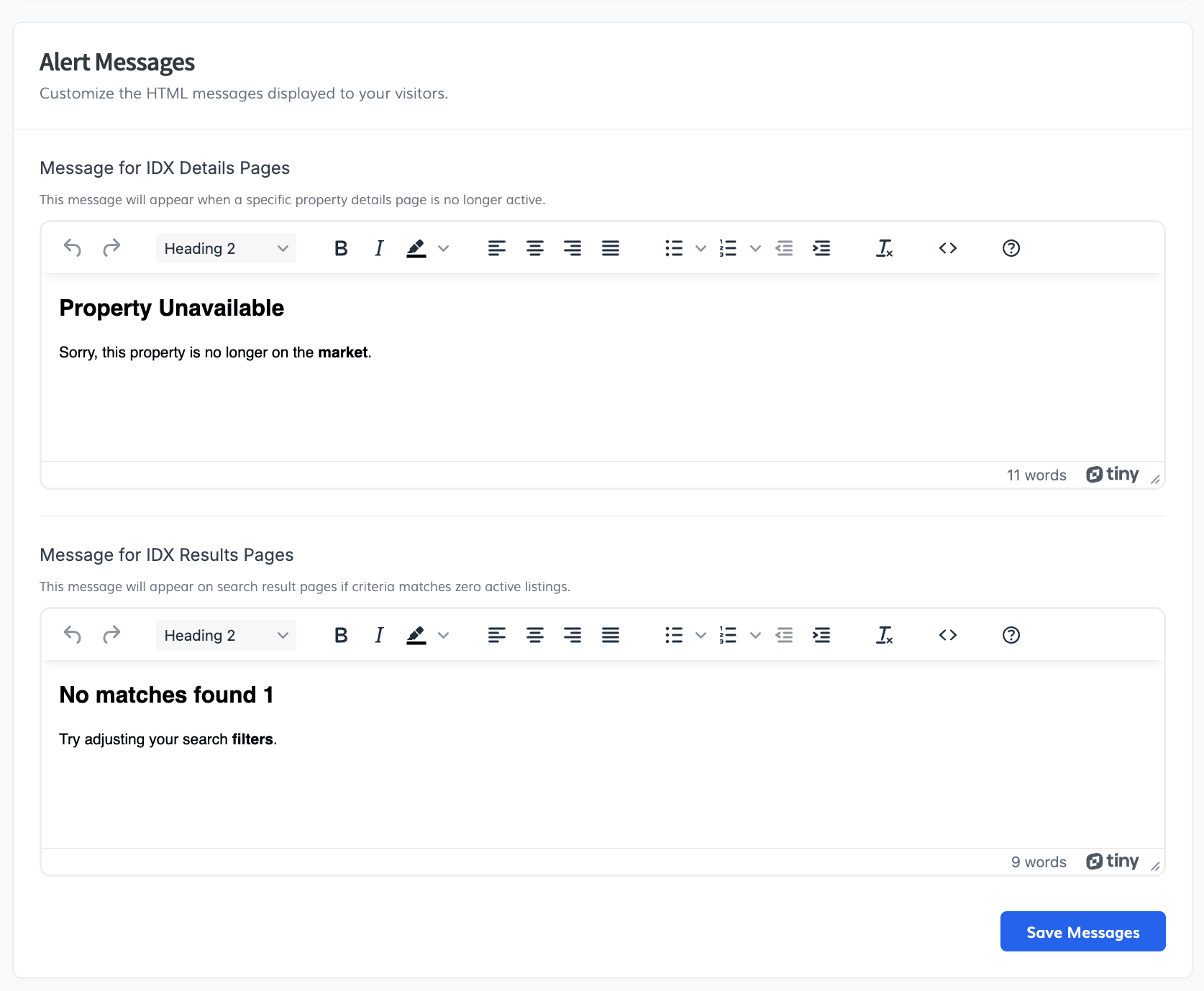
Inside the IDXAddons dashboard, navigate to the Missing Property Alert app. Here you will find the Setup section to customize the HTML messages displayed to your visitors.
- Message for IDX Details Pages: This message will appear when a specific property details page is no longer active (e.g., the property was sold or removed).
- Message for IDX Results Pages: This message will appear on search result pages if the user's criteria matches zero active listings.
Once you are happy with your customized messages, click the Save Messages button.
-
Show Featured Listings (Optional)
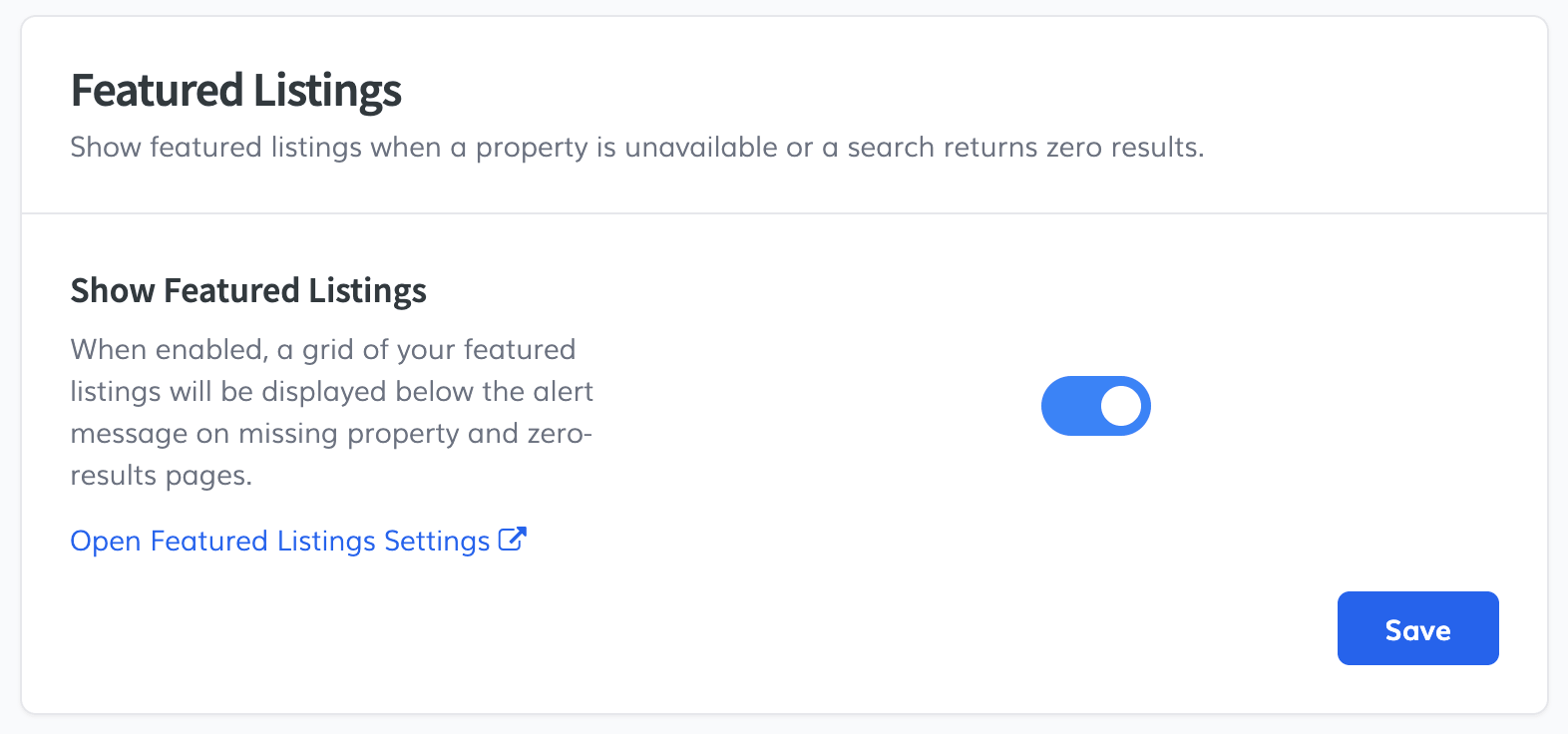
You can optionally enable your IDX Broker Featured Listings to appear automatically below the alert message whenever a property is unavailable or a search returns zero results. This keeps visitors engaged instead of leaving your site.
Inside the app, scroll down to the Featured Listings section and toggle on Show Featured Listings, then click Save.
Once enabled, a grid of your featured listings will appear on the page like this:
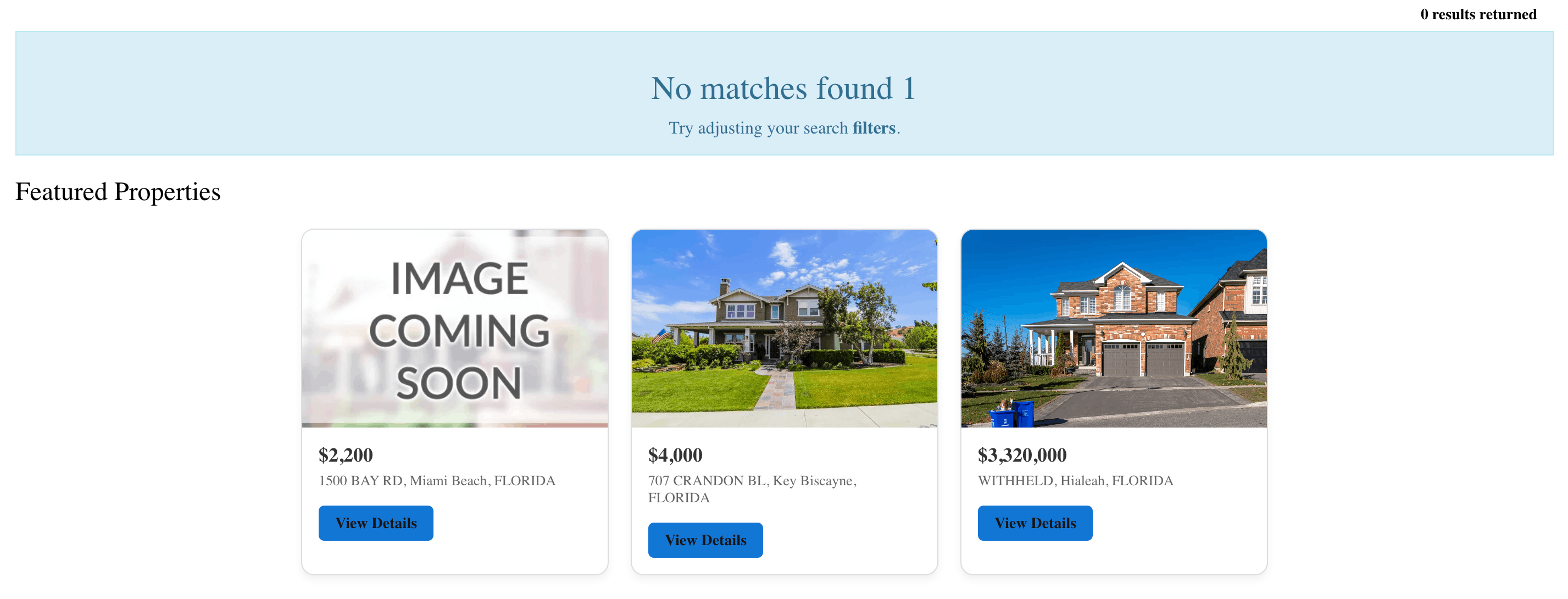
Note: Featured listings are managed directly in your IDX Broker account under Listings → Active.
-
Get Your Code Snippet
Scroll down to the Code Snippet section. Copy the provided script tag.
IMPORTANT: Make sure the script you copy includes the
deferattribute. This ensures the script loads correctly without blocking your website's content. -
Install in IDX Broker
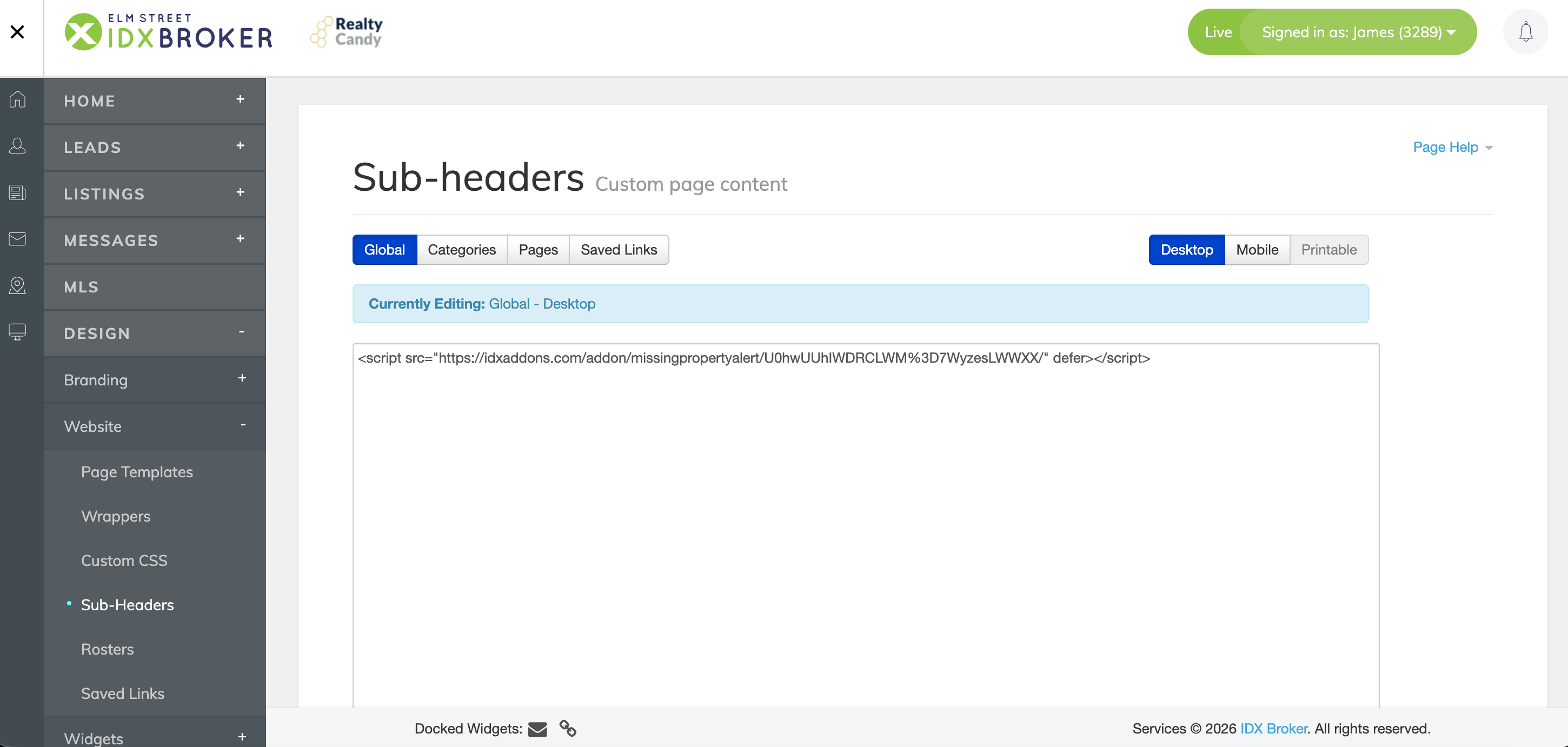
Log into your IDX Broker control panel and navigate to Design -> Website -> Sub-headers.
You have two options to install this script, depending on your current setup:
Option A: Global Sub-Header (Recommended)
Add this script to your Global Sub-Headers to ensure it catches missing properties site-wide automatically. Just paste the code snippet into the editor and save your changes.
Option B: Specific Sub-Headers (Details & Results)
If you already have specific custom content in your Details or Results IDX sub-headers, make sure to integrate this script accordingly into those specific pages instead of Global.
From the exact same Sub-headers page, follow these steps:
- For Details pages: Click on the Pages tab. In the left list, find and click on Details, paste the code into the editor, and save your changes.
- For Results pages: Click on the Pages tab. In the left list, find and click on Results, paste the code into the editor, and save your changes.
🚀 You're All Set!
You have successfully configured the Missing Property Alert app. Now, whenever a visitor lands on an inactive property or a search with no results, they will see your custom, engaging message instead of a generic error page.